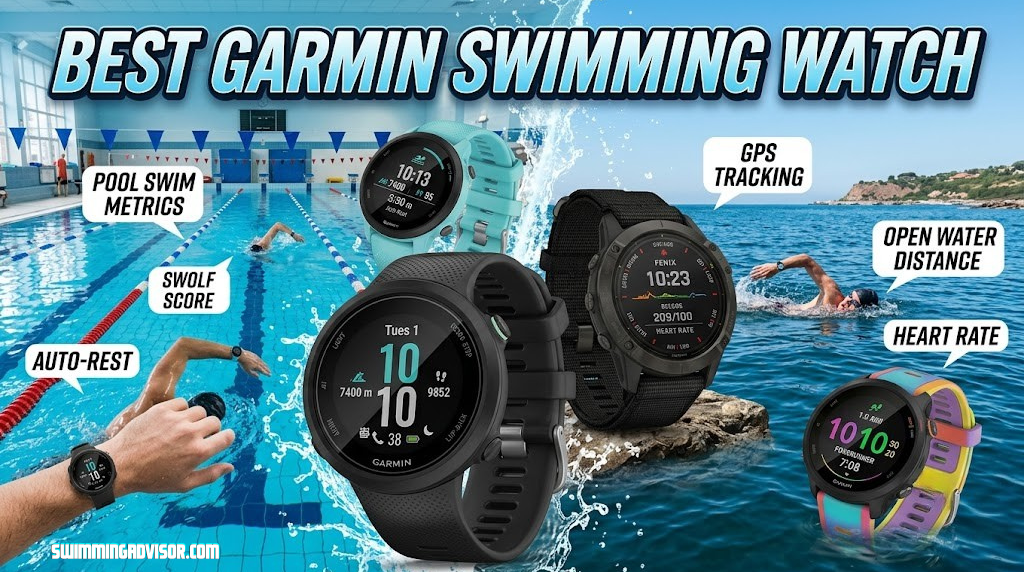
Best Garmin Swimming Watch: 7 Top Picks for Pool and Open Water Swimmers
Garmin has quietly become the go-to brand for swimmers who want more than a splash-proof fitness tracker. From stroke detection to SWOLF scoring to open water GPS accuracy, the right Garmin can turn every lap into usable data. Below, we break down the seven models worth your attention right now, who each one is actually built for, and how to pick between them without overspending.
Why Trust a Garmin for Swimming
Swimming is one of the few sports where a fitness watch actually has to work harder underwater than it does on land. Touchscreens get unreliable when wet, GPS signals bounce off pool tile, and stroke recognition has to separate freestyle from breaststroke from a mistimed flip turn. Garmin built its reputation on exactly this kind of edge-case engineering, originally for triathletes, and it shows in how consistently its watches read stroke count, distance, and pace compared to more casual fitness trackers.
What makes the current Garmin lineup interesting is how differentiated the models have become. Some are built for the serious open water swimmer who wants full multisport GPS. Others are built for someone doing 30 laps a few mornings a week who just wants clean data without learning a new interface. A few sit in between, splitting the difference on price and features. This guide walks through seven current Garmin options, what separates them, and which one actually matches your kind of swimming.
If you’re comparing swim watches across brands rather than just within the Garmin family, our best swimming watches guide covers the full field, including non-Garmin options worth considering.
Part of what makes this comparison genuinely useful rather than a simple spec-sheet exercise is that Garmin’s swim-capable lineup spans a wide range of philosophies. Some models are essentially triathlon computers that happen to swim well. Others were built from the ground up around the pool, with swimming as the primary use case rather than one entry in a long list of sport profiles. That distinction matters more than most buying guides admit, because a watch optimized for ultra-distance multisport racing behaves differently on your wrist, in your settings menu, and in your data screens than one designed purely around lap counting.
There’s also a practical reason so many swimmers specifically seek out Garmin over other wearable brands: consistency across firmware updates. Garmin has supported its swim algorithms for a long time, refining stroke detection and SWOLF calculations across generations rather than reinventing the wheel with every new release. That means even older Garmin swim watches tend to hold up reasonably well years after launch, which is a genuinely reassuring thing to know before spending money on any electronics purchase tied to a sport you plan to keep doing for years.
How Garmin Swim Tracking Technology Actually Works
Before comparing individual models, it helps to understand what’s happening inside the watch when you push off the wall for your first lap. Most swimmers see the end result, a distance count, a stroke type label, a SWOLF number, and assume it’s all straightforward. Under the hood, the engineering required to produce those clean numbers from the chaotic motion of a human body moving through water is surprisingly involved.
Accelerometers and Gyroscopes: The Core Sensors
Every Garmin swim-capable watch contains a multi-axis accelerometer and, in most newer models, a gyroscope. The accelerometer measures changes in velocity and direction, while the gyroscope tracks rotational movement. Together, these sensors create a motion signature for each stroke cycle. When you swim freestyle, your wrist follows a roughly consistent arc with each arm pull, and the accelerometer picks up that repetitive pattern. Backstroke produces a different signature because the arm rotates in the opposite direction relative to the body. Breaststroke and butterfly each create their own distinct patterns due to the simultaneous or near-simultaneous movement of both arms.
The watch’s firmware compares the live sensor data against known stroke profiles stored in its memory. When the motion pattern matches freestyle within an acceptable margin, the watch labels that length as freestyle. This is why occasionally a sloppy transition between strokes, say, switching from breaststroke drill to freestyle mid-length, can confuse the algorithm and produce a misidentified stroke type. The watch is essentially pattern-matching in real time, and ambiguous input produces ambiguous results.
How Pool Length Detection Works Without GPS
This is one of the most common points of confusion for new swim watch users. In a pool, GPS is essentially useless. Satellite signals do not penetrate water or, in most cases, the concrete and steel structures of indoor pool facilities. Instead, the watch detects turns. When you push off the wall after a flip turn or an open turn, the accelerometer registers a sharp deceleration followed by a glide phase and then the resumption of stroke motion. The watch counts that sequence as one completed length.
The accuracy of this system depends on two things: you entering the correct pool length (25 yards, 25 meters, 50 meters, etc.) and the watch’s ability to distinguish a genuine turn from other sudden movements. Strong push-offs, consistent flip turns, and clear glide phases all help. What occasionally trips up the system is mid-pool stops, hanging on the lane line, or drills where the movement pattern doesn’t resemble a normal turn sequence.
Open Water GPS Acquisition and Signal Refresh
When you switch to open water mode, the watch activates its GPS chip and attempts to lock onto satellite signals during the brief moments your wrist breaks the surface during each stroke cycle. This is fundamentally different from how GPS works during running or cycling, where the antenna has near-continuous sky exposure. In open water swimming, the watch might only have a fraction of a second per stroke cycle to grab a satellite fix, which produces a dotted path rather than a smooth continuous line on your route map afterward.
Multi-band GPS support, available on newer Garmin models, significantly improves this process by connecting to multiple satellite frequencies simultaneously. This reduces the impact of signal reflections off the water surface and nearby terrain, producing a more accurate distance measurement and a cleaner track. Single-band GPS still works for open water swimming, but the resulting distance figures tend to be slightly less consistent from session to session, particularly in choppy conditions or near shorelines where buildings or cliffs can block or reflect signals.
Pressure Sensors and Rest Detection
Some Garmin models include a barometric pressure sensor or altimeter that contributes to swim tracking in subtle ways. In pool mode, changes in pressure can help the watch confirm that it’s being submerged and surfaced repeatedly, reinforcing the accelerometer’s turn detection. In open water, pressure data can contribute to altitude and depth estimates, though this is more relevant for hiking and diving features than for swim tracking specifically.
Rest detection works by monitoring the accelerometer for a sustained period of minimal motion combined with an upright or near-upright wrist position. When you stop at the wall after a hard set and hold onto the gutter with your watch hand, the sensors register near-zero motion with a consistent orientation, and the watch logs that as a rest interval. This happens automatically in most Garmin swim modes, which is one of the more genuinely useful convenience features for interval-based training since it eliminates the need to manually start and stop timers between sets.
Why Algorithm Refinement Matters More Than Raw Hardware
A point worth making explicitly is that much of the difference in swim tracking quality between Garmin models comes down to firmware rather than hardware. The physical sensors across Garmin’s recent lineup are broadly similar in capability. What changes between model generations and firmware versions is the algorithm that interprets sensor data, and this is where Garmin’s years of accumulated swim data from millions of logged sessions gives it an advantage. Each firmware update that refines stroke detection or improves turn recognition is essentially incorporating lessons learned from a massive global dataset of real-world swim sessions, which is an engineering advantage that newer or smaller competitors cannot easily replicate.
Quick Comparison Table
Before diving into full reviews, here’s how the seven models stack up on the factors that matter most for swimmers: swim-specific tracking, battery endurance, and who each one is really designed for.
| Model | Best For | Swim Tracking | Battery (Typical Use) | Water Rating |
|---|---|---|---|---|
| Garmin fēnix (Multisport) | Serious multisport athletes | Pool + open water, full metrics | Multi-day | 10 ATM class |
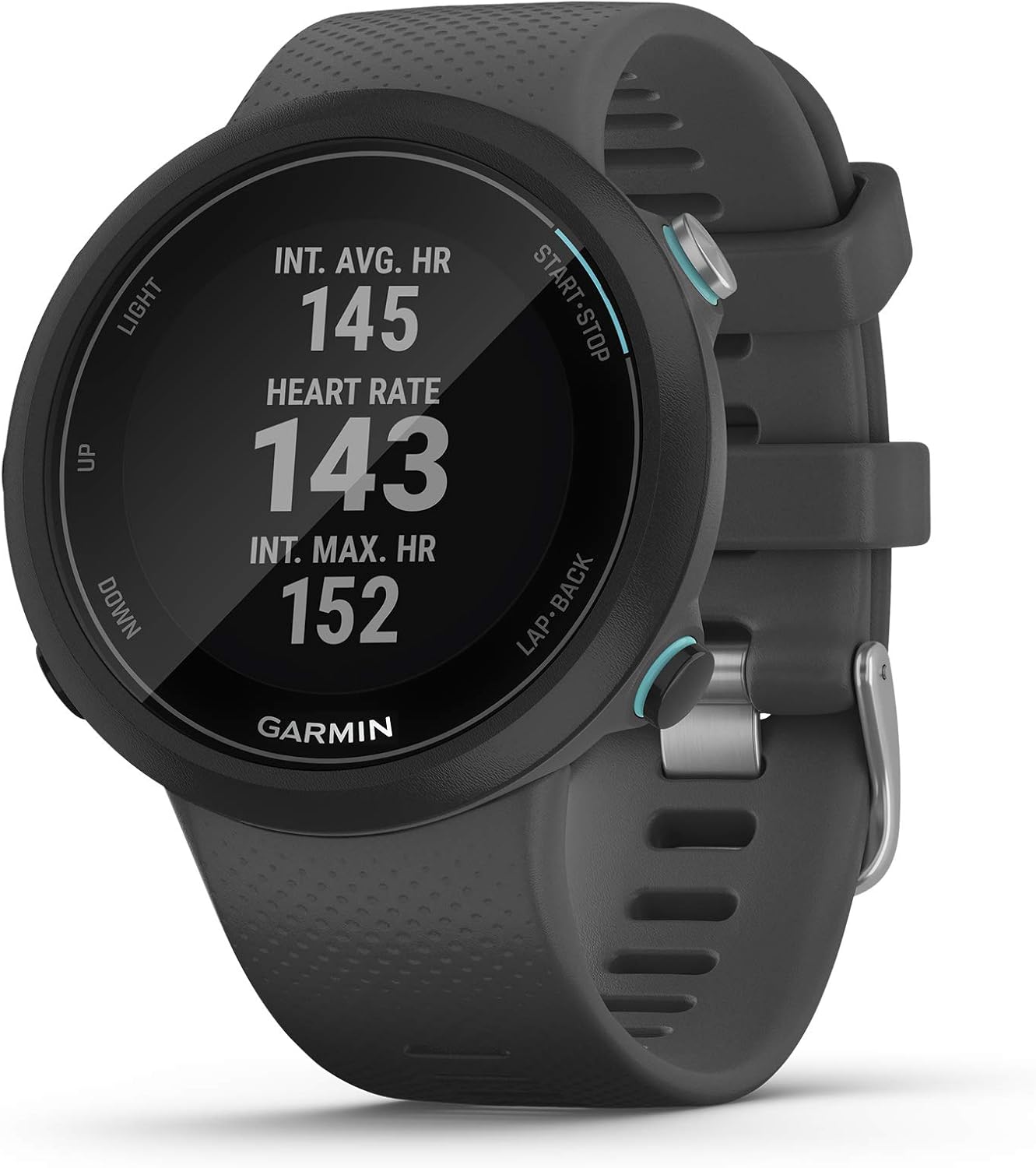
| Garmin Swim Watch | Dedicated lap swimmers | Pool-focused, stroke detail | Several days | 5 ATM class |
| Forerunner (Flashlight, Translucent) | Runners who also swim | Pool + open water GPS | Multi-day | 5 ATM class |
| Garmin Advanced Smartwatch (Colorful Flashlight) | All-rounders wanting smart features | Pool + open water | Multi-day | 5 ATM class |
| Garmin Instinct (Metal Reinforced) | Rugged outdoor + swim use | Pool + open water, simplified | Extended, longest in lineup | 10 ATM class |
| Garmin vívoactive | Budget-conscious fitness swimmers | Pool tracking, core metrics | About a week | 5 ATM class |
| Garmin Forerunner (Advanced Whitestone) | Performance-focused swim training | Pool + open water, advanced dynamics | Multi-day | 5 ATM class |
Water ratings and battery figures vary by settings, GPS mode, and screen brightness, so treat these as directional rather than exact promises. We’ll get more specific in each model’s section below.
One thing worth noting from this table before moving into full reviews: price alone isn’t a reliable indicator of which watch is “best” for your specific situation. The most expensive model here, the fēnix, is genuinely the wrong choice for someone who only wants basic lap tracking a few times a week, since you’d be paying for multisport features you’ll never use. Conversely, the more affordable vívoactive would frustrate a serious triathlete who needs deeper training load analytics across multiple disciplines. The goal of this guide is matching features to actual use, not simply ranking watches from most to least expensive.
What to Look For in a Swimming Watch
Not every “swim-proof” watch is actually built to track swimming. Plenty of watches simply survive being submerged without doing anything useful with the data. Here’s what separates a real swim tool from a watch that merely tolerates water.
This distinction trips up a lot of first-time buyers, since marketing language around water resistance can sound similar across very different products. A watch rated for casual splash resistance might survive a shower or light rain, but that’s a completely different engineering standard than one designed to be submerged repeatedly, tracked underwater for hours a week, and exposed to chlorine or salt over years of use. Every model in this guide clears that higher bar, but it’s worth understanding the underlying features below so you can evaluate any future swim watch purchase with the same criteria.
Stroke Detection Accuracy
A good swim watch identifies freestyle, backstroke, breaststroke, and butterfly automatically, and it does this using accelerometer data rather than requiring you to manually select a stroke type before each set. Cheaper trackers frequently misread breaststroke as freestyle or lose count during flip turns.
Pool Length Calibration
Because GPS doesn’t function underwater or reliably through most pool structures, indoor pool tracking relies on you entering the correct pool length. Look for a watch that makes this quick to set and remembers your regular pool.
Open Water GPS Performance
For open water swims, GPS accuracy determines whether your distance and pace numbers are trustworthy or fictional. Multi-band GPS support (sometimes labeled multi-GNSS) tends to hold a more accurate track in choppy water or near shorelines with obstructions, compared to single-band GPS.
SWOLF and Efficiency Scoring
SWOLF combines your time per length with your stroke count, giving a rough efficiency score. Lower is generally better, and tracking it over weeks is one of the more useful ways to see if your technique is actually improving rather than just guessing.
Water Lock and Screen Behavior
A watch that keeps interpreting water splashes as touchscreen taps is a genuine annoyance mid-swim. Most Garmin swim-capable models activate a water lock mode automatically, disabling the touchscreen and switching to button navigation, then prompt you to rinse the buttons when you exit the water.
For a lower-cost entry point into this category, see our cheap swimming watch picks, which includes a few Garmin models alongside budget alternatives.
Heart Rate Accuracy in the Water
Wrist-based heart rate readings are already imperfect on dry land, and water adds another layer of difficulty since movement, pressure changes, and skin contact all shift during swim strokes. Most Garmin swim watches still attempt optical heart rate tracking in the pool, and the numbers are reasonably useful as a general trend line, but they shouldn’t be treated as lab-grade accurate. If heart rate zones are central to your training, some swimmers pair their watch with a compatible chest strap for open water sessions, though this is optional rather than required for casual training.
Data Sync and App Ecosystem
Every watch in this comparison syncs to the Garmin Connect app, which is where the real value of long-term swim tracking shows up. Individual swim sessions are useful in the moment, but the ability to look back over months of SWOLF trends, stroke rate changes, and total distance swum is what actually helps you see whether your training is working. Before buying, it’s worth confirming the app experience fits how you like to review data, since some swimmers prefer a simple weekly summary while others want to dig into lap-by-lap splits.
Comfort for Long Sessions
A watch that tracks perfectly but irritates your wrist after forty-five minutes in the water isn’t a good long-term fit. Band material, buckle style, and overall case weight all affect comfort differently once your skin has been wet for a while. Silicone bands tend to be the most swim-friendly choice across this entire lineup, and thankfully it’s the default material on every model covered here.
Case Size and Wrist Fit
Case diameter matters more for swimmers than it might seem at first glance, since a larger case can catch slightly more water resistance during certain strokes and may feel less secure during fast flip turns. Smaller-wristed swimmers in particular tend to prefer the more compact case sizes found on the vívoactive and the standard Forerunner models over the larger fēnix or advanced Forerunner cases, though this is ultimately a matter of personal preference rather than a hard rule.
How Garmin Swim Features Have Evolved Over Generations
Understanding where Garmin’s swim tracking started helps explain why the current lineup works as well as it does, and it also helps you judge whether an older model might still serve your needs if you find one at a discount.
Early Garmin Swim Tracking
Garmin’s earliest forays into swim tracking were relatively basic. The original Garmin Swim, released as a standalone pool watch, offered length counting, stroke type identification, and SWOLF scoring, but the algorithms were noticeably less refined than today’s versions. Breaststroke detection in particular was hit-or-miss, and rest intervals sometimes logged incorrectly if you moved your arms while hanging on the wall. These early limitations drove home an important point that Garmin clearly internalized: swim tracking is an algorithm problem as much as a hardware problem, and refining the software over time is what ultimately separates usable data from noise.
The Multisport Integration Era
When Garmin started integrating swim modes into its Forerunner and fēnix lines, the functionality expanded significantly. Open water GPS tracking was added alongside pool modes, and the data started feeding into broader training load calculations that accounted for swimming alongside running and cycling. This was the period where Garmin’s swim tracking went from a niche novelty to a genuinely useful training tool for triathletes and serious swimmers. The ability to see how a hard swim session affected your overall recovery estimate and training status across all sports, rather than treating swimming as a completely separate data silo, was a meaningful step forward in practical training utility.
Algorithm Refinements and Firmware Updates
One of Garmin’s less visible but most important advantages is its commitment to updating swim algorithms through firmware releases on existing hardware. Over the years, these updates have improved stroke detection accuracy for all four competitive strokes, refined turn detection to better handle open turns alongside flip turns, improved rest interval recognition, and made SWOLF calculations more consistent across different pool lengths. For a swimmer buying a Garmin today, this means the tracking experience is meaningfully better than what that same hardware delivered on launch day, which is a benefit that doesn’t show up in spec sheets or launch-day reviews.
Current State and What’s Next
The current generation of Garmin swim-capable watches represents the most mature version of the platform to date. Stroke detection across all four competitive strokes is reliably accurate for the vast majority of swimmers, open water GPS tracking benefits from multi-band chipsets that produce cleaner tracks than was possible even two or three years ago, and the integration with Garmin Connect’s long-term data analysis tools means individual swim sessions connect meaningfully to broader training trends. Looking ahead, swimmers can reasonably expect continued firmware refinement, potential additions of new drill types or stroke variants, and deeper integration between swim data and recovery or training readiness metrics. The core hardware is unlikely to change dramatically in the near term, but the software sitting on top of it will keep getting better.
1. Garmin fēnix — Best for Serious Multisport Athletes
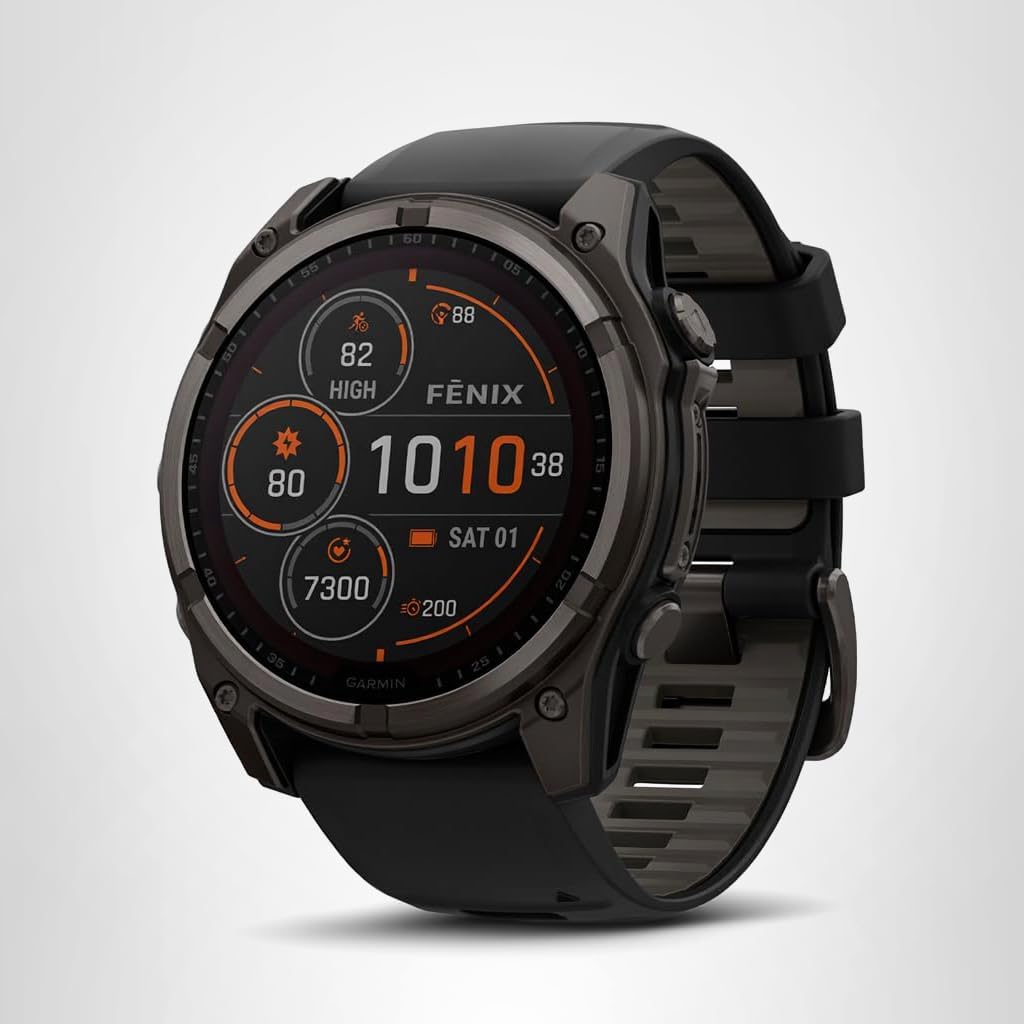
The fēnix line is Garmin’s flagship, and it shows in swim mode: full pool and open water tracking, detailed stroke breakdowns, and the kind of rugged build that shrugs off pool deck concrete and open water rocks alike. It’s built as a do-everything sports watch first, with swimming as one of many well-executed disciplines rather than the sole focus.
Battery life is the standout feature here. Where most swim watches ask you to charge every few days, the fēnix is built to go much longer between charges even with GPS-heavy activities logged regularly, which matters if you’re training across multiple sports and don’t want charging schedules dictating your workout routine.
Pros
- Exceptional multi-day battery life even with regular GPS use
- Full pool and open water swim metrics
- Rugged case built for outdoor and water abuse
- Deep multisport feature set beyond swimming
Cons
- Premium price point compared to swim-only watches
- Larger case size may not suit smaller wrists
- Overkill if you only swim and do nothing else
Check current pricing and available colorways for the Garmin fēnix on Amazon.
Check Price on Amazon →In day-to-day use, the fēnix tends to be the watch that swimmers stop thinking about, which is a genuine compliment. Because it’s designed to be worn across every sport you do, it doesn’t force you into a swim-only mindset where you switch watches depending on the day’s workout. That single-watch simplicity has real value if you’re the type of athlete who trains six or seven days a week across multiple disciplines and doesn’t want to manage charging schedules for more than one device. The trade-off, as with most flagship gear, is price: this is not the watch to buy if swimming is an occasional hobby rather than a consistent part of your training routine.
2. Garmin Swim Watch — Best for Dedicated Lap Swimmers
This is the model built specifically with lap swimmers in mind, and it’s noticeably less cluttered with non-swimming features than the multisport options above. If your training is mostly pool sessions with the occasional open water swim, this watch tracks distance, pace, stroke type, and SWOLF without asking you to wade through running or cycling menus to get there.
The interface leans toward simplicity, which is a genuine strength for swimmers who just want to glance at lap count mid-set rather than navigate a complex data screen while treading water.
Pros
- Purpose-built for lap swimming with a clean interface
- Accurate stroke and SWOLF tracking
- More affordable than multisport flagship models
- Comfortable, lightweight case for long pool sessions
Cons
- Fewer smartwatch features than general fitness models
- Open water GPS is less robust than flagship options
See current availability and pricing for this pool-focused Garmin swim watch.
Check Price on Amazon →What stands out most about this model in actual pool use is how quickly you can glance down mid-set and understand exactly what you’re looking at. There’s no hunting through multisport data screens built for cycling or running that happen to also show swim numbers. Everything on the default display is swim-relevant: current length, total distance, elapsed time, and stroke type, all sized to be legible even with wet, unfocused eyes right after flipping a turn. For swimmers who’ve previously used a running-focused watch pressed into service for swim tracking, the difference in usability is immediately noticeable.
3. Garmin Forerunner (Flashlight, Translucent) — Best for Runners Who Swim

The Forerunner line built its name on running, but the swim tracking on this model is genuinely capable rather than an afterthought. If your training week mixes runs with pool or open water swim sessions, this is one of the more balanced options that doesn’t force you to compromise heavily on either discipline.
The built-in flashlight is a nice touch for early morning or evening sessions walking to and from a pool deck or open water entry point, and the translucent case design gives it a lighter, sportier look than Garmin’s more rugged outdoor models.
Pros
- Strong running dynamics paired with solid swim tracking
- Built-in flashlight useful for low-light training
- Lighter, more wearable case for all-day use
Cons
- Swim metrics slightly less detailed than swim-dedicated models
- Translucent finish may show wear over time
Check current pricing on this Forerunner model with flashlight and translucent design.
Check Price on Amazon →Triathletes and duathletes tend to gravitate toward this model specifically because it doesn’t treat swimming as a secondary feature bolted onto a running watch. Transition tracking between disciplines works cleanly, and the training load calculations account for the combined stress of swim and run sessions rather than evaluating each in isolation. If your typical week includes both a masters swim practice and structured running workouts, this balance is genuinely difficult to find elsewhere in Garmin’s lineup without stepping all the way up to a full multisport flagship.
4. Garmin Advanced Smartwatch (Colorful Flashlight) — Best All-Rounder
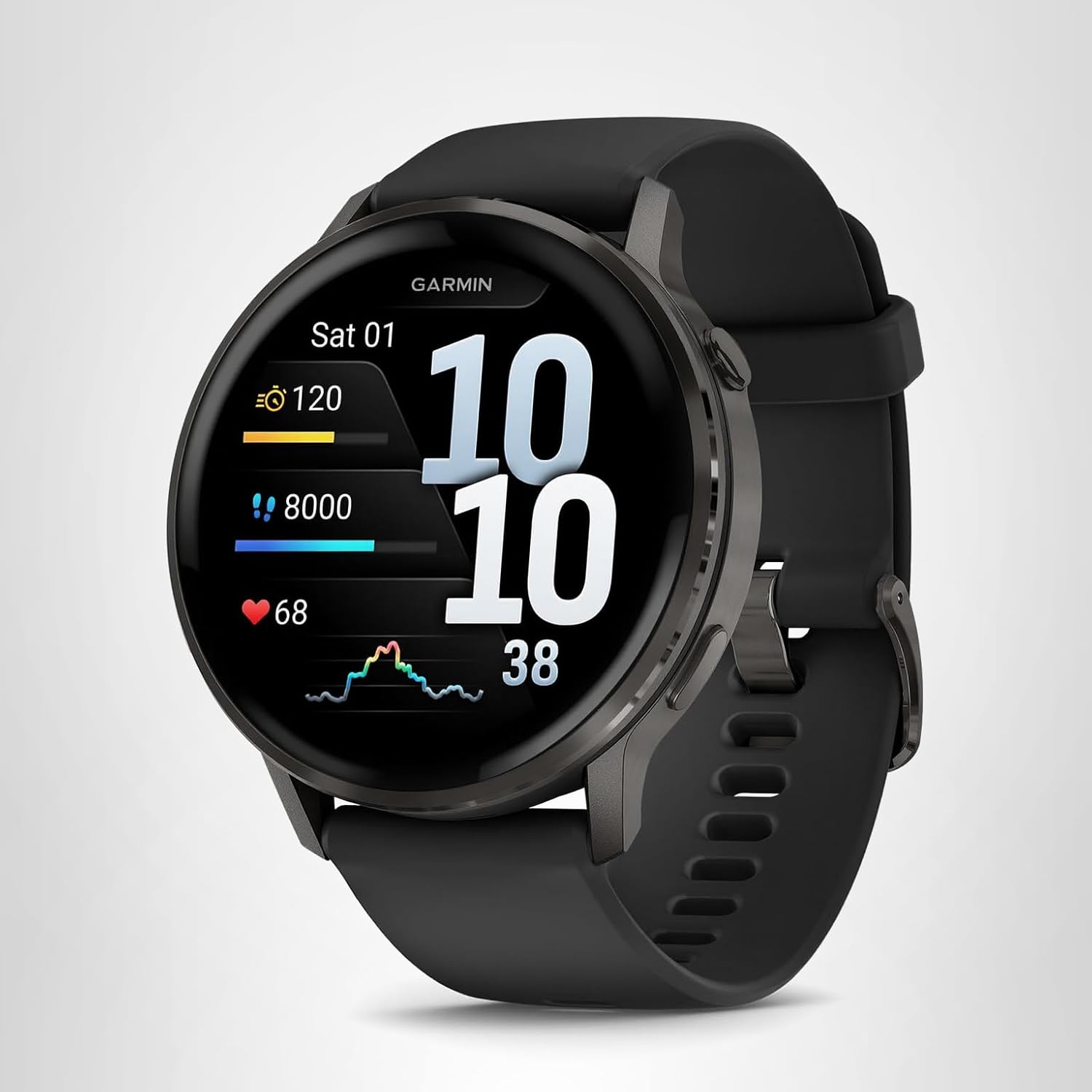
This model leans further into smartwatch territory without sacrificing swim tracking accuracy, making it a solid pick if you want notifications, contactless payments, and music storage alongside your swim data rather than a purely sport-focused device.
The bright, colorful display is easier to read poolside in direct sunlight than some of Garmin’s more muted outdoor-focused screens, which is a small but genuinely useful detail if you check your metrics mid-set.
Pros
- Bright, easy-to-read display in outdoor and poolside light
- Strong balance of smartwatch features and swim tracking
- Flashlight function adds practical everyday utility
Cons
- Not as rugged as the fēnix or Instinct lines
- Smart features can pull battery down faster if left on
Check current pricing and colors available for this advanced Garmin smartwatch.
Check Price on Amazon →This model tends to appeal most to swimmers who don’t want a second device on their wrist for the rest of the day. Rather than switching between a sport watch for training and a smartwatch for notifications and everyday wear, this one covers both roles reasonably well. The swim algorithms underneath are shared with Garmin’s broader lineup, so accuracy for stroke detection and SWOLF scoring holds up even though the watch is marketed more around lifestyle features than pure athletic performance.
5. Garmin Instinct (Metal Reinforced) — Best for Rugged, Outdoor-First Swimmers

The Instinct is Garmin’s toughest-feeling case in this lineup, with a metal-reinforced build that’s clearly designed for people who treat their watch as gear rather than jewelry. For open water swimmers who also hike, climb, or spend serious time outdoors between sessions, the reinforced construction is a meaningful advantage over more delicate designs.
Battery life tends to run longer here than on the more smartwatch-leaning models in this list, partly because the display and feature set are more stripped-down and efficient by design.
Pros
- Most rugged, durable case in this comparison
- Long battery life due to efficient display and feature set
- Solid open water and pool swim tracking
Cons
- Simpler display than color-touchscreen competitors
- Bulkier profile may not suit smaller wrists
Check current pricing for the metal-reinforced Garmin Instinct with flashlight.
Check Price on Amazon →Open water swimmers who train in rivers, lakes, or rougher coastal conditions tend to appreciate this model’s build quality more than any other single spec. Rocks, dock ladders, and gear bags all take a toll on a watch case over time, and the Instinct’s reinforced construction is genuinely built to absorb that kind of wear without the cosmetic damage that shows up on more polished designs. It’s not the flashiest watch in this list, but it’s arguably the one built to look the same after a full season of open water training as it did on day one.
6. Garmin vívoactive — Best Budget-Friendly Pick

The vívoactive line targets everyday fitness tracking first, with swim tracking as one of several well-supported activity profiles rather than a specialized headline feature. For swimmers who mostly want accurate lap counts, distance, and calorie estimates without paying for triathlon-grade multisport tools, it’s the most approachable entry point in this list.
The display and overall software experience feel closer to a general wellness smartwatch, with animated on-screen workouts and everyday health tracking layered on top of solid pool swim support.
Pros
- Most affordable option in this Garmin swim lineup
- Easy-to-use interface for casual and fitness swimmers
- Bright, colorful display good for everyday wear
Cons
- Less detailed swim metrics than sport-focused models
- Open water GPS not as strong as flagship options
Check current pricing for the Garmin vívoactive fitness smartwatch.
Check Price on Amazon →For someone newer to structured swim training, the vívoactive’s simplicity is genuinely an advantage rather than a limitation. There’s less temptation to get lost in advanced training load graphs and recovery metrics that only make sense once you’ve been tracking data for months. Instead, you get the fundamentals, laps, distance, pace, and stroke type, presented clearly enough that you can start building useful training habits from week one without a learning curve standing in the way.
7. Garmin Forerunner (Advanced Whitestone) — Best for Performance-Focused Swim Training

This is the most training-data-dense option in the Forerunner family covered here, aimed at swimmers who also treat structured training plans and recovery metrics seriously. Expect deeper post-swim analytics, more granular pacing tools, and training load tracking that carries over across your other sports.
It sits at a premium price point within the Forerunner range, justified mainly if you’re actually going to use the advanced training metrics rather than just the basic lap counter.
Pros
- Advanced training and recovery metrics across sports
- Strong open water GPS accuracy
- Detailed pacing and performance analytics
Cons
- Premium pricing within the Forerunner lineup
- Advanced metrics may be more than casual swimmers need
Check current pricing on this advanced Forerunner model in the Whitestone colorway.
Check Price on Amazon →Swimmers who are also working with a coach or following a structured periodized plan tend to get the most value from this model, since the training load and recovery metrics carry meaningful weight when decisions about workout intensity actually depend on them. If you’re swimming purely for fitness and enjoyment rather than chasing specific performance targets, you likely won’t miss these deeper analytics, and a simpler model further up this list will serve you just as well for considerably less money.
Best Garmin for Triathlon Training: Swim, Bike, Run in One Watch
Triathlon places unique demands on a watch that single-sport athletes don’t encounter. Your device needs to handle three fundamentally different movement types, log transitions between them, and combine all of that data into a coherent picture of a single workout or race. If swimming is part of a broader triathlon training plan rather than your only sport, the Garmin you choose needs to perform across all three disciplines without obvious weak spots.
What Triathletes Need from Swim Tracking
For a triathlete, swim tracking serves a specific purpose that goes beyond general fitness monitoring. You need to know your pace per 100 yards or meters so you can estimate your swim split for race day. You need to see how your pace changes across a long swim set, since holding steady pace over distance is what separates a strong swim leg from one where you fade in the final third. And critically, you need that swim data to feed into your overall training load alongside your cycling and running sessions, so you’re not making training decisions based on incomplete information.
The fēnix handles this best in the current Garmin lineup, primarily because its battery life and rugged build mean you can wear it through an entire training week, including long bike rides and open water swims, without worrying about charging. The Forerunner models covered earlier in this guide are close behind, particularly for athletes who prioritize running metrics and want swim tracking that’s capable without being the primary focus.
Multisport Mode and Transition Tracking
Garmin’s multisport mode lets you chain activities together, swimming directly into T1, then cycling, then T2, then running, all as a single recorded workout. This matters because it gives you accurate transition times, which are often where beginner and intermediate triathletes can make the biggest improvements without any fitness gains at all. Seeing that you spent three and a half minutes in T1 fumbling with your wetsuit and helmet is the kind of data that actually drives behavioral change.
To set up multisport mode, you create a custom multisport activity profile that specifies the order of disciplines. When you reach a transition, you press a button to advance to the next segment rather than stopping and starting a new activity. The watch handles the rest, logging each segment separately while keeping them connected as parts of one combined workout.
Training Load Across All Three Sports
This is where Garmin’s ecosystem advantage shows up most clearly for triathletes. A hard swim session on Monday contributes to your overall training load calculation, which then influences the recovery time estimate that guides whether Tuesday’s bike session should be easy or hard. Without swim data feeding into this system, the watch is making training status recommendations based on only two-thirds of your actual training, which can lead to underestimating fatigue and overtraining. Every model in this comparison that supports training load tracking will incorporate swim sessions into this calculation, but the depth and accuracy of that integration tends to scale with the price and sophistication of the watch.
Race Day Swim Strategy with Garmin
On race day, your Garmin swim tracking shifts from training tool to pacing instrument. Most experienced triathletes set their swim data screen to show distance, current pace, and elapsed time at a minimum, avoiding too many metrics that can distract from sighting and maintaining good form in a crowded open water start. The open water GPS accuracy of the watch determines how trustworthy those real-time pace numbers are, which is one more reason to prioritize models with multi-band GPS if triathlon racing is your primary goal.
Garmin Swim Watch for Beginners: Your First Month Guide
If you’ve just bought your first Garmin swim-capable watch, or you’re still deciding whether the investment makes sense for your level of swimming, this section walks through what to actually expect during your first few weeks of use, from unboxing to reading your first month of data trends.
Before Your First Pool Session
Charge the watch fully, pair it with the Garmin Connect app on your phone, and update the firmware before you ever get it wet. This ensures you’re running the latest swim algorithms from the start rather than relying on whatever version shipped with the hardware. During initial setup, you’ll also set basic profile information like your weight and height, which the watch uses for calorie estimation and some stride-length calculations for running modes.
Next, configure your pool swimming activity profile. Set your default pool length to match the pool you swim at most often. If you swim at a 25-yard pool, enter 25 yards. If you’re at a 50-meter facility, enter 50 meters. Getting this right from the start prevents the single most common source of inaccurate swim data that beginners encounter.
Your First Pool Swim
For your very first tracked swim, keep things simple. Swim your normal workout without trying to modify your technique or behavior to accommodate the watch. The goal is to see what the watch captures with no special effort on your part, so you have a baseline to compare against future sessions. After your swim, end the activity, rinse the watch with fresh water, and sync it to Garmin Connect to review what was recorded.
Look at the basics first: did the length count match what you actually swam? Did it correctly identify your primary stroke type? Were rest intervals captured where you expected them? If the answers are mostly yes, the watch is working as intended and you can start relying on the data. If something seems off, double-check your pool length setting and consider whether your turns were clear enough for the accelerometer to detect reliably.
Building a Data Habit
The real value of a swim watch shows up over weeks, not individual sessions. After your first month of consistent tracking, you’ll have enough data to start seeing meaningful trends: whether your SWOLF is improving, whether your pace per 100 is getting faster at the same effort level, and whether your stroke count per length is decreasing. These trends are far more informative than any single session’s numbers, which can fluctuate based on fatigue, pool congestion, or how well you warmed up.
A simple habit that works well for beginners is reviewing your swim summary in the Garmin Connect app once a week, ideally on a rest day. Look at total distance swum, average pace, and SWOLF trends across the week’s sessions. Don’t overreact to any single data point. Instead, look for the overall direction. If your average pace over four or five sessions this week is slightly faster than it was a month ago at the same perceived effort, that’s genuine progress that the watch helped you see.
Swim Metrics Explained: What SWOLF, Stroke Rate, and Distance Actually Mean
Garmin watches surface a handful of swim-specific numbers that don’t have obvious equivalents in running or cycling data. Understanding them makes the difference between glancing at your watch and actually using it to train smarter.
SWOLF
SWOLF is your time per length added to your stroke count for that length. A lower SWOLF score generally means you’re covering the same distance more efficiently, either through fewer strokes, faster time, or both. It’s most useful tracked as a trend over weeks rather than obsessed over in a single session.
Stroke Rate and Stroke Count
Stroke rate measures how frequently your arms cycle through a stroke, while stroke count tracks total strokes per length or per set. Elite swimmers often aim for a lower stroke count at a given pace, since it typically signals better technique and less wasted effort per length.
Distance and Pace in the Pool
Indoor pool distance is calculated by multiplying your pool length setting by the number of lengths detected, not by GPS. This is exactly why entering an accurate pool length matters; get that wrong, and every downstream number, including pace, will be off by the same margin.
Rest Interval Tracking
Most Garmin swim modes automatically detect when you stop moving at the wall and log it as a rest interval, which is genuinely handy for interval training since it removes the need to manually start and stop timers between sets.
Training Load and Recovery Metrics
On the more advanced models covered in this guide, swim sessions feed into broader training load calculations alongside your running, cycling, or strength workouts. This gives a combined picture of overall physical stress rather than treating each sport as if it existed in isolation. Recovery time estimates are calculated similarly, factoring in how intense your swim was relative to your recent training history. These numbers are estimates rather than precise science, but tracked consistently over months, they can help flag when you’re pushing volume too aggressively without adequate rest.
Calorie Estimates While Swimming
Calorie burn estimates during swimming are calculated using a combination of heart rate, stroke type, and duration, and tend to be less precise than land-based activity estimates simply because water resistance and technique efficiency vary so much between swimmers. Treat these numbers as a rough guide for tracking relative effort across sessions rather than a precise figure to build a calorie budget around.
Heart Rate Monitoring While Swimming: What Garmin Gets Right and Where It Struggles
Heart rate monitoring is one of the most requested features in any fitness watch, and it’s also one of the areas where swimming introduces the most challenges. Understanding the limitations helps you use the data correctly rather than drawing flawed conclusions from imprecise numbers.
Why Optical Heart Rate Struggles in Water
Every Garmin watch in this comparison uses an optical heart rate sensor on the back of the case, which works by shining green LED light into your skin and measuring how much light is reflected back by blood flowing through your capillaries. On dry land with a snug band, this works reasonably well for most people. In the water, several things conspire to reduce accuracy. Water between the sensor and your skin refracts and absorbs the LED light. The watch shifts position on your wrist with each stroke cycle, changing the angle and pressure of the sensor. Cold water causes vasoconstriction, reducing blood flow to the skin surface where the sensor reads. And the vigorous arm motion of swimming creates motion artifacts that the sensor has to filter out from the actual heart rate signal.
The combined effect of all this is that wrist-based heart rate during swimming tends to lag behind your actual heart rate and can undercount during high-intensity intervals. During a steady-state aerobic swim, the numbers are often close enough to be directionally useful. During sprints or hard intervals with rest, the readings may be noticeably off from what a chest strap or manual pulse check would show.
When the Numbers Are Still Useful
Despite these limitations, swimming heart rate data from a Garmin watch has real value when interpreted correctly. The trends matter more than the absolute numbers. If your heart rate during a standard warm-up set has gradually decreased over three months of consistent training, that’s a meaningful indicator of improved aerobic fitness, even if the specific beats-per-minute figure isn’t perfectly accurate. Similarly, comparing the heart rate profile of two different swim sets from the same week can reveal which one taxed your cardiovascular system more, even if both numbers are shifted slightly from true values.
Using a Chest Strap for Open Water Swimming
For swimmers who want more accurate heart rate data during open water sessions, pairing a compatible Garmin chest strap with the watch is an option worth considering. Chest straps measure electrical signals from the heart directly, which is unaffected by water, light refraction, or arm motion. The data quality difference is noticeable, particularly during interval training in open water where the lag and inaccuracy of optical sensors is most apparent. The trade-off is comfort and convenience: wearing a chest strap adds another piece of gear to manage, and some swimmers find them distracting during longer sessions.
Swim Heart Rate Zones and What They Tell You
Garmin calculates heart rate zones based on your maximum heart rate, either entered manually or estimated from your age and activity data. In swimming, these zones map roughly to training intensity levels: Zone 1 and 2 for easy aerobic work, Zone 3 for moderate tempo swimming, Zone 4 for threshold sets, and Zone 5 for sprint efforts. Understanding which zone you’re training in during different sets helps structure your weekly training with appropriate intensity distribution, which is one of the core principles of effective endurance training regardless of sport.
Pool vs. Open Water Tracking: What Changes
It’s worth understanding that “swim tracking” means two fairly different things depending on where you’re swimming, and Garmin watches handle each mode differently under the hood.
Pool Swimming
In the pool, the watch relies on accelerometer data and your entered pool length rather than GPS, since satellite signal doesn’t penetrate water or, in most cases, indoor facilities. This is why pool accuracy depends heavily on getting your pool length setting correct and on the watch’s stroke detection algorithms.
Open Water Swimming
Open water mode leans on GPS, captured in the brief moments your wrist breaks the surface during your stroke. This is inherently less precise than continuous GPS tracking on land, which is why watches with multi-band or multi-GNSS support tend to produce noticeably cleaner open water tracks than single-band models, particularly around turns, buoys, or shoreline obstructions.
If open water is your primary use case rather than an occasional addition to pool training, it’s worth prioritizing GPS chipset quality over swim-specific software features. Our open water swimming watch guide goes deeper on which models handle this best.
Switching Between Pool and Open Water Modes
All seven models in this comparison make switching between pool and open water swim profiles straightforward, usually as simple as selecting the correct activity type before you start. It’s worth double-checking this setting if you regularly move between both environments, since starting an open water swim in pool mode, or vice versa, will produce distance and pace numbers that don’t reflect what actually happened in the water.
Multisport Brick Sessions Involving Swimming
For triathletes, the ability to string a swim segment directly into a transition and then a bike or run segment without manually stopping and restarting activities is one of the more underrated features on the multisport-capable models in this list, particularly the fēnix and the Forerunner options. This keeps combined training sessions logged as a single cohesive workout rather than several disconnected activities that have to be manually pieced together afterward.
Training for Open Water Events with Your Garmin
If you’re preparing for an open water race, a triathlon swim leg, or even a casual organized lake swim, your Garmin can serve as both a training tool and a race-day instrument. The key is understanding what the watch can reliably tell you in open water and building your preparation around that capability.
Building an Open Water Training Plan
Most open water events, whether a one-mile charity swim or a full Ironman 2.4-mile swim leg, require a base of aerobic endurance that’s best built in the pool and then transferred to open water conditions. A typical approach is to do the majority of your volume training in the pool where pace and distance data are more precise, and supplement with one to two open water sessions per week as the event approaches. Your Garmin supports this by tracking both environments and feeding the data into a unified training load, so your recovery and training status calculations reflect total swim stress regardless of where the session happened.
During pool sessions, focus on pace per 100 consistency, building the ability to hold a target pace for the full race distance. Your Garmin’s real-time pace display and post-session lap analysis are most useful here. During open water sessions, shift focus toward sighting practice, bilateral breathing, and comfort in uncontrolled conditions, using the watch more for post-swim GPS track review than for real-time pacing, since the GPS-derived pace in open water updates less frequently than pool-based pace.
Sighting and Navigation Features
Some Garmin models allow you to set a waypoint or follow a breadcrumb GPS route during open water swimming, which can be useful for practicing navigation on a specific course. In practice, most swimmers rely on physical sighting, lifting their eyes above the waterline to spot buoys or landmarks, rather than trying to read a watch screen while swimming in choppy water. Where the watch adds value is in post-swim analysis: reviewing your GPS track to see how straight you swam, where you drifted off course, and how much extra distance you covered compared to the straight-line distance between waypoints.
Race Day Open Water Tips
On race day, set your open water swim data screen to show only the metrics you actually need: elapsed time and distance at a minimum. Too many data fields create visual clutter that’s hard to process in the brief moments your wrist is above water. Some experienced triathletes don’t look at the watch at all during the swim leg and review everything afterward, relying on feel and sighting for pacing rather than trying to hit a specific number in real-time conditions that are too variable for precise pacing anyway.
Analyzing Your GPS Track After an Open Water Swim
One of the most valuable things your Garmin produces after an open water swim is the GPS track map in Garmin Connect. A clean, straight track with minimal wandering suggests good sighting and balanced bilateral breathing. A track with significant zigzagging reveals where you drifted off course, and comparing the GPS-measured distance to the straight-line distance you intended to swim tells you how much extra energy you spent on navigation error. Over multiple open water sessions, you can track whether your navigation efficiency is improving, which translates directly to faster race times without any increase in swimming fitness.
Swim Drills, Intervals, and Structured Workouts on Your Garmin
One of the most underused capabilities of Garmin swim watches is the ability to create, load, and follow structured swim workouts directly on the watch face. If you’re currently just pressing “start” and swimming until you’re done, you’re leaving a significant amount of the watch’s training utility on the table.
Creating Custom Swim Workouts in Garmin Connect
Through the Garmin Connect app or web interface, you can build custom swim workouts consisting of warm-up, work, and cool-down segments with specific distance, pace, or rest targets. Once created, these workouts sync to your watch and appear as guided sessions when you start a pool swim activity. The watch displays your current interval target, counts down distance remaining, and alerts you when you’ve hit the target, which removes the mental overhead of counting laps during complex sets.
A basic interval workout might look like this: 200-yard warm-up, then 8 times 100 yards freestyle on a target pace with 15 seconds rest between each, then a 100-yard cool-down. You build this in Garmin Connect with a few taps, send it to the watch, and during the swim the watch tells you what to do next, tracks whether you’re ahead or behind your target pace for each interval, and logs the rest time automatically.
Tracking Drill Sets
Drill swimming, kick sets with a kickboard, pull sets with a pull buoy, one-arm drills, catch-up drill, and similar technique-focused work, presents a challenge for any wrist-based tracker because the movement patterns don’t match standard stroke profiles. Most Garmin watches handle this by offering a “drill” mode where you manually enter the distance of each drill segment after completing it, rather than relying on automatic detection. This is less convenient than fully automatic tracking, but it keeps your drill work integrated into the overall swim session data rather than creating gaps.
Using Rest Interval Data to Manage Intensity
The automatic rest detection feature on Garmin swim watches does more than just log how long you hung on the wall. Over a full interval set, the pattern of your rest times reveals a lot about your fitness and pacing strategy. If your rest intervals gradually lengthen across a set of eight repeats, you’re accumulating fatigue faster than your target pace warrants, and the data suggests either slowing down or extending rest for the next session. If rest times stay consistent throughout the set, your pacing and fitness are well-matched to the workout demands.
Following a Structured Swim Plan Over Weeks
For swimmers training toward a specific goal, whether that’s completing a mile without stopping, improving their 100-yard time, or preparing for an open water event, a multi-week structured plan delivered through Garmin Connect can add meaningful direction to training. These plans typically alternate between endurance-focused sessions, speed work, technique drills, and recovery swims, with the specific mix varying based on your current fitness level and target event. Your Garmin tracks completion and performance data for each session, and the training status feature provides a high-level indicator of whether the plan is building your fitness or pushing you into overtraining territory.
Battery Life Compared Across These Seven Models
Battery life is one of the most misunderstood specs in this category, mainly because “battery life” varies enormously depending on which features are active. A watch rated for many days in smartwatch mode can drop to a fraction of that with continuous GPS and always-on display enabled during a long open water swim.
| Model | Everyday Smartwatch Use | Heavy GPS/Training Use |
|---|---|---|
| Garmin fēnix | Multiple days | Still multi-day with efficient GPS modes |
| Garmin Swim Watch | Several days | Reduced but still swim-session friendly |
| Forerunner (Flashlight) | Multiple days | Noticeably reduced with heavy GPS use |
| Advanced Smartwatch (Colorful Flashlight) | Multiple days | Reduced with always-on display |
| Garmin Instinct | Longest in lineup | Holds up well due to efficient display |
| Garmin vívoactive | About a week | Reduced significantly with GPS-heavy sessions |
| Forerunner (Advanced Whitestone) | Multiple days | Reduced with advanced metrics tracking active |
As a rule of thumb, if you swim daily and also want the watch to last through the week without a charge, the fēnix and Instinct tend to be the safer bets based on their generally longer battery ratings.
Charging Habits That Extend Real-World Battery Life
Regardless of which model you choose, a few habits noticeably extend battery life between charges. Lowering screen brightness and disabling always-on display mode makes the single biggest difference across every watch in this lineup. Turning off continuous heart rate tracking when you don’t need it, and limiting notification pass-through from your phone, also adds meaningful time. None of these adjustments affect swim tracking accuracy, so there’s little downside to dialing them in if battery anxiety is a genuine concern for your training schedule.
Charging Around Swim Schedules
Many swimmers find it easiest to build charging into an existing routine, such as topping up the watch during a shower or while getting dressed after a morning swim, rather than treating it as a separate task. Because most of these watches charge quickly enough to gain a meaningful percentage in a short window, even a few unplanned minutes on the charger between sessions can prevent an unexpected dead battery before a workout.
Garmin vs. Apple Watch Ultra for Swimming
It’s a fair question whether to stay in the Garmin ecosystem at all, especially since Apple’s Ultra line has become a serious contender for swim tracking in its own right. The honest answer depends on what else you want your watch to do.
Garmin watches generally offer longer battery life and a training ecosystem built from the ground up around endurance sports and structured training plans. Apple Watch Ultra tends to win on smartwatch integration, app ecosystem, and day-to-day usability if you’re already deep in the Apple ecosystem with an iPhone.
For swimmers specifically, Garmin’s swim metrics and multi-day battery life are usually the deciding factors, but if you want a deeper side-by-side, our Apple Watch Ultra 2 review breaks down exactly how it handles pool and open water swimming.
Cost is another factor worth weighing honestly. Garmin’s swim-focused and entry multisport models, like the vívoactive or the dedicated swim watch covered earlier, generally undercut Apple Watch Ultra pricing by a meaningful margin while still delivering accurate core swim tracking. If your budget is the primary constraint rather than brand loyalty or ecosystem preference, that price gap alone may settle the decision before features even enter the conversation.
There’s also a durability consideration specific to long-term ownership. Garmin’s swim-rated watches, particularly the Instinct and fēnix, are generally built with swimmers and outdoor athletes in mind from the ground up, whereas Apple’s approach treats extreme durability as one feature among many general-purpose smartwatch capabilities. Neither approach is objectively wrong, but it’s worth considering which philosophy matches how roughly you tend to treat your gear.
Garmin vs. FORM Swim Goggles: Wrist-Based vs. Head-Based Swim Tracking
Garmin isn’t the only company investing in swim-specific wearable technology. FORM, a company that makes smart swim goggles with a heads-up display, offers a fundamentally different approach to the same problem: giving swimmers real-time data while they train. Understanding the trade-offs between these two approaches helps clarify which one actually fits your training style.
How FORM Swim Goggles Work
FORM swim goggles contain a small transparent display that sits in your field of vision, projecting metrics like pace, distance, stroke count, and heart rate (via a paired chest strap) directly into your line of sight while you swim. The data is visible without turning your head or lifting your wrist, which eliminates the mid-stroke wrist glance that Garmin users rely on. The goggles use an accelerometer and algorithm set similar in concept to Garmin’s, detecting turns, counting strokes, and calculating SWOLF from the head-mounted position rather than the wrist.
Accuracy Differences: Head vs. Wrist
The head position during swimming is more consistent than the wrist position, particularly for freestyle and backstroke, since the head follows a relatively stable path while the arms rotate through full stroke cycles. This gives FORM a theoretical advantage in stroke detection consistency and turn detection accuracy for pool swimming. In practice, both systems are accurate enough for training purposes, but FORM users occasionally report fewer stroke misidentifications during mixed-stroke sets compared to wrist-based watches. For open water swimming, Garmin has the clear advantage because FORM goggles don’t contain a GPS chip; open water distance tracking with FORM relies on an accelerometer-only estimate that’s noticeably less accurate than GPS-based Garmin tracking.
The Heads-Up Display Experience
The most divisive aspect of FORM goggles is the display itself. Swimmers who love it cite the ability to see real-time pace and distance without any interruption to their stroke rhythm. Swimmers who dislike it mention the slight visual distraction of having data in their peripheral vision, particularly during technique drills or relaxed warm-up sets where constant data feedback isn’t wanted. It’s genuinely a preference thing, and there’s no objective answer about whether a heads-up display or a wrist screen is better for every swimmer.
Ecosystem and Long-Term Data
Garmin’s advantage here is significant. Garmin Connect is a mature platform with years of development behind it, offering deep historical analysis, training plan integration, multi-sport data combination, and a large community of users. FORM’s app is functional and improving, but it’s a younger platform with less depth in long-term trend analysis and no multi-sport capability since the goggles are a swim-only device. If swimming is one of several sports you track, Garmin’s ecosystem handles the cross-sport data integration that FORM simply cannot offer.
Who Should Choose Which
FORM goggles make the most sense for dedicated pool swimmers who value real-time heads-up data and swim primarily in controlled environments where GPS isn’t needed. Garmin watches make more sense for multisport athletes, open water swimmers, anyone who wants smartwatch features alongside swim tracking, or swimmers who prefer a single device for all their training rather than adding sport-specific equipment. Some serious swimmers actually use both: FORM for pool training where the heads-up display adds the most value, and Garmin for open water sessions and overall training load tracking. If budget only allows one, Garmin’s versatility makes it the safer default choice for most swimmers.
Who Should Buy Which Model
Rather than picking based on price alone, it helps to match the watch to your actual training pattern.
- Triathletes and multisport athletes: Garmin fēnix, for its battery life and full sport coverage.
- Pool-only lap swimmers: Garmin Swim Watch, for its focused interface and swim-first design.
- Runners who swim occasionally: Forerunner (Flashlight, Translucent), for its balance of running and swim tools.
- Smartwatch-first users who also swim: Garmin Advanced Smartwatch (Colorful Flashlight).
- Outdoor-heavy lifestyles beyond just swimming: Garmin Instinct, for its rugged build and battery efficiency.
- Budget-conscious beginners: Garmin vívoactive.
- Serious performance training across sports: Forerunner (Advanced Whitestone).
If you’re still deciding between a Garmin altogether and a more specialized or budget alternative, it’s worth reading our Parsonver smartwatch review for a lower-cost comparison point, or our Garmin fēnix 8 review if you want a deeper look specifically at the fēnix line covered above.
It’s also worth being honest with yourself about how your training is likely to evolve over the next year or two. Someone who starts out swimming casually a couple of times a week often finds themselves gradually adding structure, whether that’s joining a masters group, training for an open water event, or picking up running and cycling alongside swimming. If that kind of progression sounds plausible for you, it may be worth stretching slightly toward one of the more capable multisport models now rather than upgrading again in a year once your training outgrows an entry-level watch.
Getting the Most Out of Your Garmin Swim Watch
Buying the right watch is only half the equation. A few setup habits make a noticeable difference in how useful and accurate your swim data ends up being.
Confirm Your Pool Length Before Every New Pool
If you swim at more than one pool, whether traveling or simply rotating facilities, always double-check the pool length setting before starting your swim. It’s an easy step to forget, and an incorrect setting will quietly throw off distance and pace for the entire session without any obvious warning on the watch itself.
Update Firmware Regularly
Garmin periodically refines its swim detection algorithms through firmware updates, sometimes improving stroke recognition accuracy or fixing edge cases around flip turns and rest detection. Keeping your watch’s software current through the Garmin Connect app ensures you’re benefiting from these improvements rather than running on an older, less refined version of the swim tracking software.
Rinse and Dry Properly After Every Swim
Chlorine and salt water residue can build up around buttons, charging contacts, and seals over time if a watch isn’t rinsed with fresh water after each session. This is a small habit, but it meaningfully extends the lifespan of both the watch’s water resistance and its physical buttons, particularly on models like the Instinct that rely heavily on button-based navigation during swim activities.
Review Your Data Weekly, Not Just Daily
Individual swim sessions can be noisy, with SWOLF and pace numbers shifting based on fatigue, warm-up quality, or simply an off day in the water. Reviewing trends over a full week or training block, rather than reacting to any single session’s numbers, gives a far more accurate picture of whether your technique and fitness are actually progressing.
Garmin Watch Maintenance and Longevity for Swimmers
A swim-capable Garmin watch is an investment, and like any piece of equipment that gets wet regularly, it benefits from consistent care. The difference between a watch that looks and functions like new after two years and one that develops issues usually comes down to a handful of simple maintenance habits.
Post-Swim Rinse Routine
This is the single most important maintenance habit for any swimmer with a Garmin watch. After every pool or open water session, rinse the watch under fresh running water for 15 to 20 seconds, paying particular attention to the area around the buttons and the gap between the case back and the band. Chlorine is a powerful oxidizer that degrades rubber seals and corrodes metal contacts over time. Salt water leaves mineral deposits that can interfere with button operation and charging. A brief fresh water rinse after each session removes both before they cause cumulative damage.
After rinsing, shake off excess water and pat the watch dry with a clean towel. Let it air dry fully before charging, since moisture trapped in the charging port can cause corrosion on the electrical contacts over repeated charging cycles. This entire routine takes less than a minute and is the single highest-return maintenance investment you can make.
Band Care and Replacement
Silicone bands, which come standard on every Garmin model in this comparison, handle water exposure well but can develop a persistent odor if they’re not cleaned periodically. A weekly wash with mild soap and water keeps the band fresh. If the band does develop wear, cracks, or a smell that won’t wash out, replacement bands are readily available and straightforward to swap. This is also a good opportunity to try a different band style, though for swimming specifically, silicone remains the best material choice because it doesn’t absorb water, dries quickly, and doesn’t irritate skin during prolonged submersion.
Charging Contact Maintenance
The small electrical contacts on the back of the watch and on the charging cable are vulnerable to corrosion if moisture or chlorine residue sits on them during charging. Make sure the watch is completely dry before connecting the charger. If you notice the watch charging intermittently or not at all, inspect the contacts for visible corrosion or buildup. A gentle cleaning with a dry cotton swab usually resolves minor contact issues. Persistent charging problems after cleaning may indicate deeper corrosion that requires contacting Garmin support.
Seal Integrity and Water Resistance Over Time
Water resistance in watches is maintained by rubber gaskets and seals that compress between the case components. Over time, these seals can degrade due to chemical exposure, temperature changes, and simple aging. Garmin doesn’t publish a specific schedule for seal replacement on its fitness watches the way dive watch manufacturers do, but as a general guideline, if you swim regularly multiple times per week, it’s worth being attentive to any changes in how the watch feels after submersion, such as condensation under the lens, which would indicate compromised seals requiring professional service.
Impact Protection During Transport
The period between swims, when your watch is in a gym bag, tossed on a pool deck, or packed in luggage, is often when the most cosmetic damage occurs. A simple watch pouch or case protects the screen from scratches during transport and is particularly worthwhile for the models with larger, more exposed display surfaces. This won’t affect swim tracking performance, but it preserves the watch’s appearance and resale value over time.
Customizing Your Garmin Data Screens for Swimming
Out of the box, your Garmin swim activity profiles come with default data screens that show a reasonable set of metrics. But every swimmer prioritizes different information during a workout, and spending a few minutes customizing your data screens to match your actual needs is one of the easiest ways to improve the practical value of every swim session.
Setting Up Pool Swim Data Screens
For pool swimming, the most useful real-time metrics are typically distance (total or per interval), current pace per 100, stroke count for the current length, and elapsed time. Some swimmers also like to see their SWOLF score update after each length, while others prefer to review that data post-swim rather than cluttering the mid-swim display. Garmin lets you configure up to several data fields per screen and multiple screens that you scroll through using the physical buttons, so you can create one clean screen with just your top-priority metrics and a secondary screen with more detailed information for rest intervals when you have time to look more carefully.
Setting Up Open Water Swim Data Screens
Open water data screens should prioritize different metrics since the tracking technology differs. GPS-based distance and pace replace accelerometer-based equivalents, and you may want to add compass heading or GPS accuracy indicators that don’t exist in pool mode. Because glancing at a watch during open water swimming is more disruptive than in a pool, most experienced open water swimmers keep their data screen minimal: elapsed time and distance, with everything else reviewed after the swim. Some Garmin models allow different data screen configurations for pool versus open water swim profiles, which is worth taking advantage of if you regularly train in both environments.
Font Size and Underwater Readability
Garmin doesn’t offer adjustable font sizes within swim data screens on most models, but the number of data fields you choose per screen effectively controls how large each number appears. Fewer fields per screen means larger, more legible numbers, which matters when you’re glancing at the watch with wet, unfocused eyes in the middle of a hard set. A good starting point is two to three fields per screen for pool swimming and one to two fields for open water swimming, prioritizing legibility over information density.
Auto-Scroll Settings
If you prefer to see multiple metrics without manually pressing buttons mid-swim, enable the auto-scroll feature, which cycles through your data screens at a set interval. The timing can usually be adjusted from a few seconds to longer intervals. This works well for steady-state aerobic sets where you have a consistent rhythm and can afford a glance every few lengths, but it’s less useful during high-intensity intervals where your focus needs to stay on technique and effort rather than reading a cycling display.
Using the Garmin Connect App to Analyze Your Swim Data
The watch itself captures the data during your swim, but the Garmin Connect app is where that data transforms into actionable insight over time. Understanding how to navigate the app’s swim-specific features ensures you’re getting full value from every session you log.
The Swim Summary Screen
After syncing a completed swim session, Garmin Connect presents a summary screen showing total distance, duration, average pace, calories burned, and SWOLF. Below the summary, you’ll find a lap-by-lap breakdown showing each individual length or interval with its associated pace, stroke count, stroke type, and rest time. This granular view is where you spot patterns that aren’t visible in the summary numbers, like a specific interval where your pace dropped significantly or a stretch of lengths where stroke detection may have been inconsistent.
Weekly and Monthly Swim Reports
Garmin Connect aggregates your swim data into weekly and monthly totals, showing total distance swum, number of sessions, and average metrics across those sessions. These reports are particularly useful for tracking training volume progression during a build phase toward a goal event, or for confirming that you’re maintaining consistent volume during a maintenance phase. The trends view lets you compare this week’s data against previous weeks with simple line charts, making it easy to see at a glance whether you’re on track with your training plan.
Connecting with Coaches
Garmin Connect allows you to share your activity data with a coach or training partner through its connection features. For swimmers working with a remote coach, this means your coach can review your swim sessions in detail, including pace consistency, rest patterns, and stroke metrics, without needing to be on the pool deck. Coaches can also build workouts in Garmin Connect and push them directly to your watch, which streamlines the process of following a structured training plan without needing to manually enter interval sets before each session.
Comparing Sessions Over Time
One of the most powerful but underused features in Garmin Connect is the ability to compare two individual sessions side by side. If you swam the same workout set two weeks apart, comparing those sessions shows you exactly where you improved and where you didn’t, length by length. This kind of granular comparison is far more informative than simply comparing total time or average pace, because it reveals whether your improvement came from better pacing consistency, faster individual intervals, shorter rest periods, or some combination of all three.
Setting and Tracking Swim Goals
Garmin Connect lets you set distance-based or frequency-based goals, such as swimming a certain number of miles per month or completing a target number of sessions per week. The app tracks your progress toward these goals and displays it visually, which adds a layer of accountability and motivation that raw data alone doesn’t provide. For swimmers who are self-coached and training without a structured plan, having an explicit weekly distance or session goal creates a minimum standard that’s easy to track and adjust as your fitness evolves.
Frequently Asked Questions
Final Verdict: Which Garmin Swimming Watch Should You Buy?
If you want one watch to do everything, including swimming, running, and long battery life between charges, the Garmin fēnix is the strongest all-around pick in this lineup. If you specifically want a lap-focused tool without extra multisport complexity, the Garmin Swim Watch is worth prioritizing. And if budget matters most, the vívoactive gets the core swim metrics right without the premium price tag.
Whichever model fits your training, check current pricing before you decide, since availability and deals shift often.
No matter which of these seven models you land on, the bigger win is moving away from guessing at your pace and stroke efficiency and toward actual data you can track over time. Swimming is a notoriously hard sport to self-assess from feel alone, since fatigue and water resistance distort your sense of pace far more than they do on land. A properly set up Garmin swim watch removes that guesswork, and consistently reviewing that data is often the single biggest driver of real improvement for swimmers at every level, from casual lap swimmers to competitive open water racers.
Check Latest Prices on Amazon →