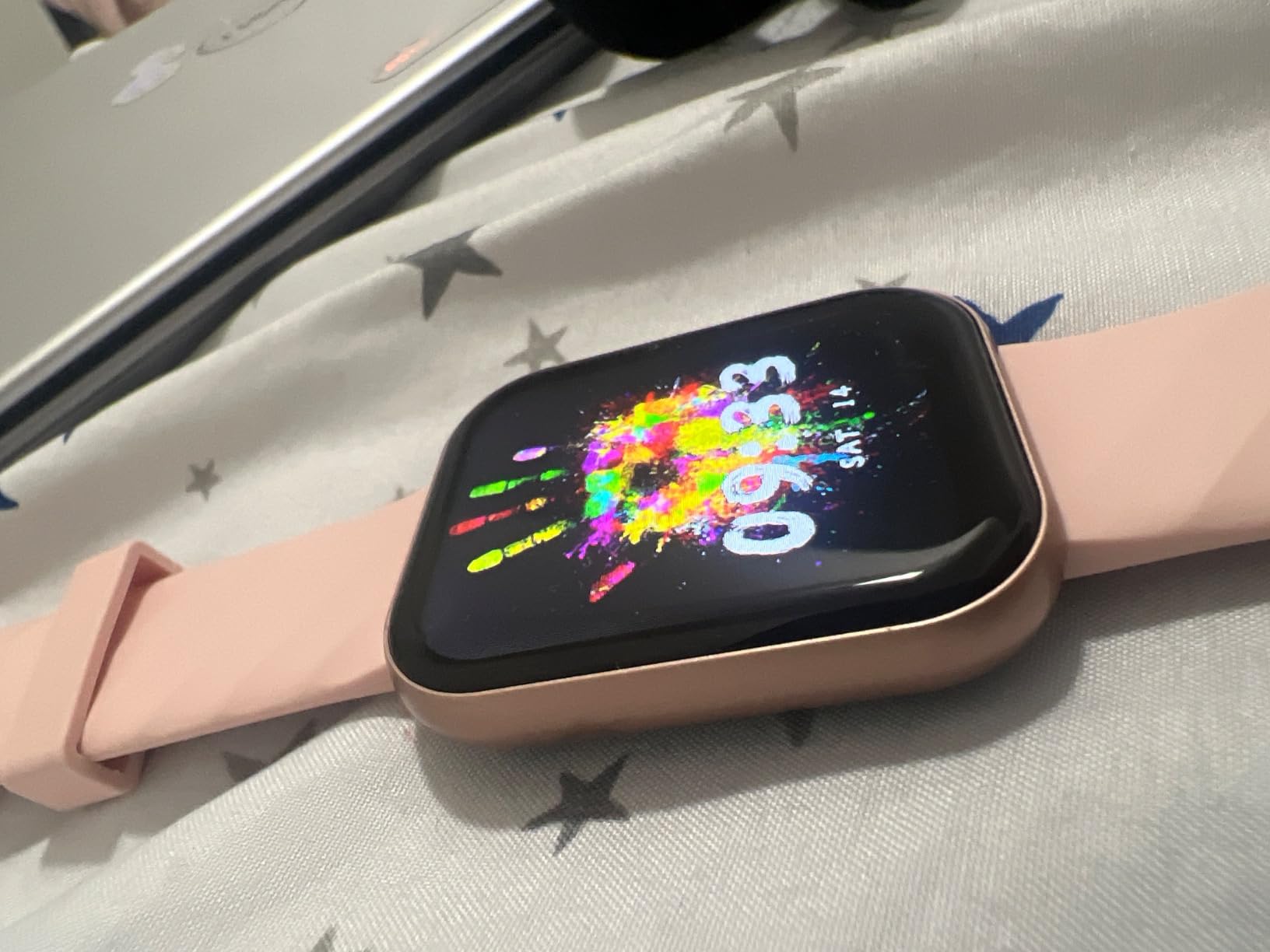
Comprehensive Parsonver Smartwatch Review: Budget-Friendly Fitness & Swimming Tracker
Finding a reliable, budget-friendly smartwatch that genuinely survives the pool and tracks your daily health metrics can feel like searching for a needle in a haystack. With heavy hitters dominating the market, smaller brands often get overlooked. In this deep dive, we explore every facet of the Parsonver Smartwatch to see if it delivers on its promises of robust waterproofing, comprehensive fitness tracking, and long-lasting battery life.
1. Introduction to the Parsonver Smartwatch
The wearable technology market is incredibly crowded. On one end of the spectrum, you have premium devices that cost as much as a smartphone, and on the other, a flood of inexpensive trackers that barely last a month. Bridging this gap is the goal of the Parsonver smartwatch. Designed primarily for active individuals who need a rugged, waterproof companion without breaking the bank, it has quickly gained traction among casual athletes.
This Parsonver smartwatch review is tailored to dissect exactly what you are getting for your money. Whether your primary goal is tracking daily steps, monitoring your sleep, or logging laps in the pool, we are putting this device through its paces. It is essential to know if a budget-friendly device can genuinely hold its own against established mid-range trackers.
Beyond the spec sheet, what really matters to most shoppers is whether a watch fits naturally into daily life. Does it survive a shower without complaint? Does the battery actually last as long as advertised, or is that number measured under laboratory conditions nobody replicates at home? Does the companion app feel like an afterthought bolted onto cheap hardware, or does it genuinely add value? These are the practical questions we keep returning to throughout this review, because a smartwatch that looks great in marketing photos but frustrates you within a week is not a good purchase, no matter how low the price tag.
It’s also worth setting expectations up front. The Parsonver is not trying to compete with $400 flagship wearables, and it shouldn’t be judged by that yardstick. Instead, we are evaluating it against its actual peer group: budget and mid-tier fitness trackers priced well under $100. Within that category, the bar for “good enough” is different, and a device only needs to nail the fundamentals — accurate step counting, dependable water resistance, comfortable all-day wear, and a battery that doesn’t demand nightly charging — to earn a strong recommendation.
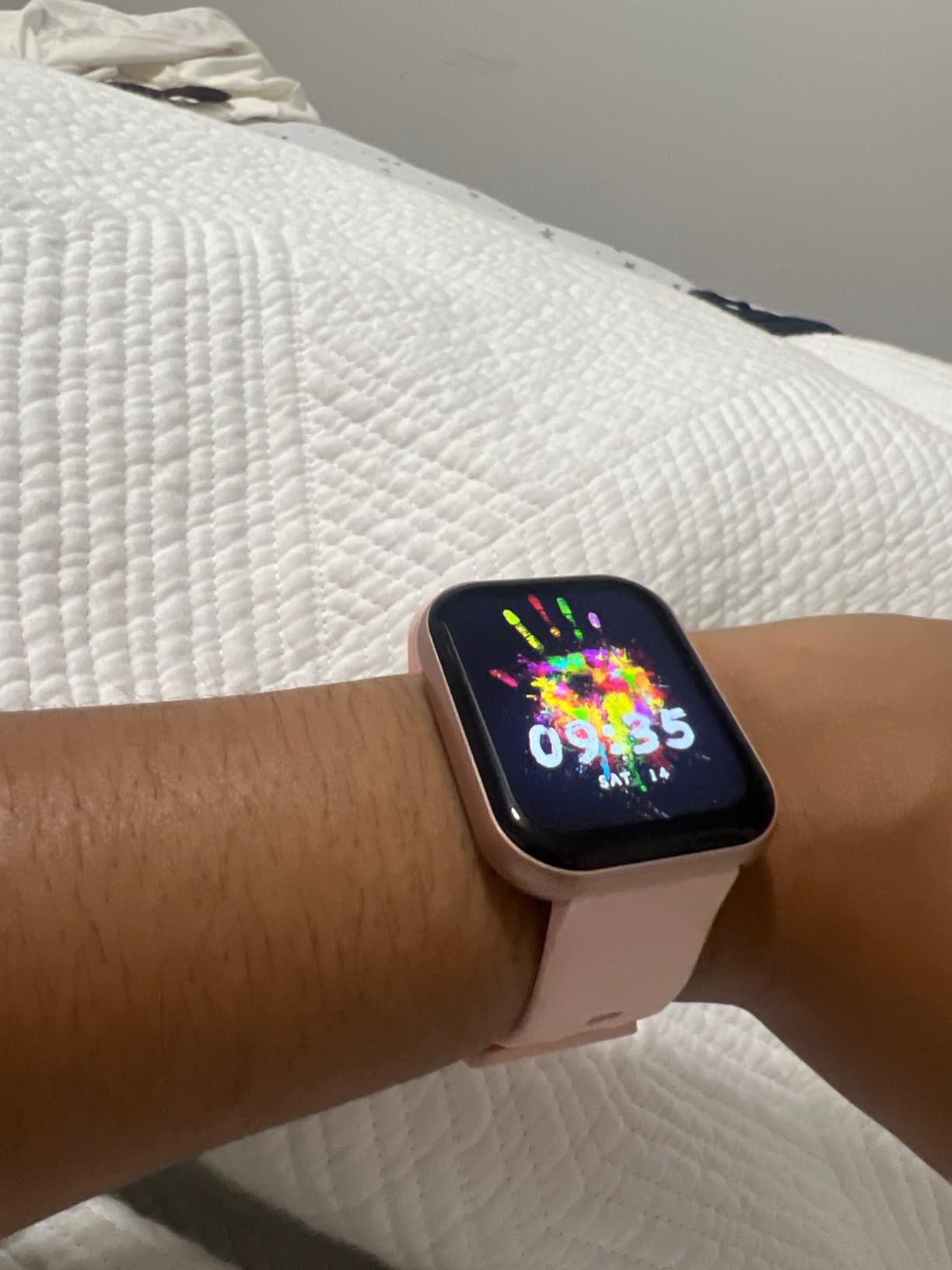
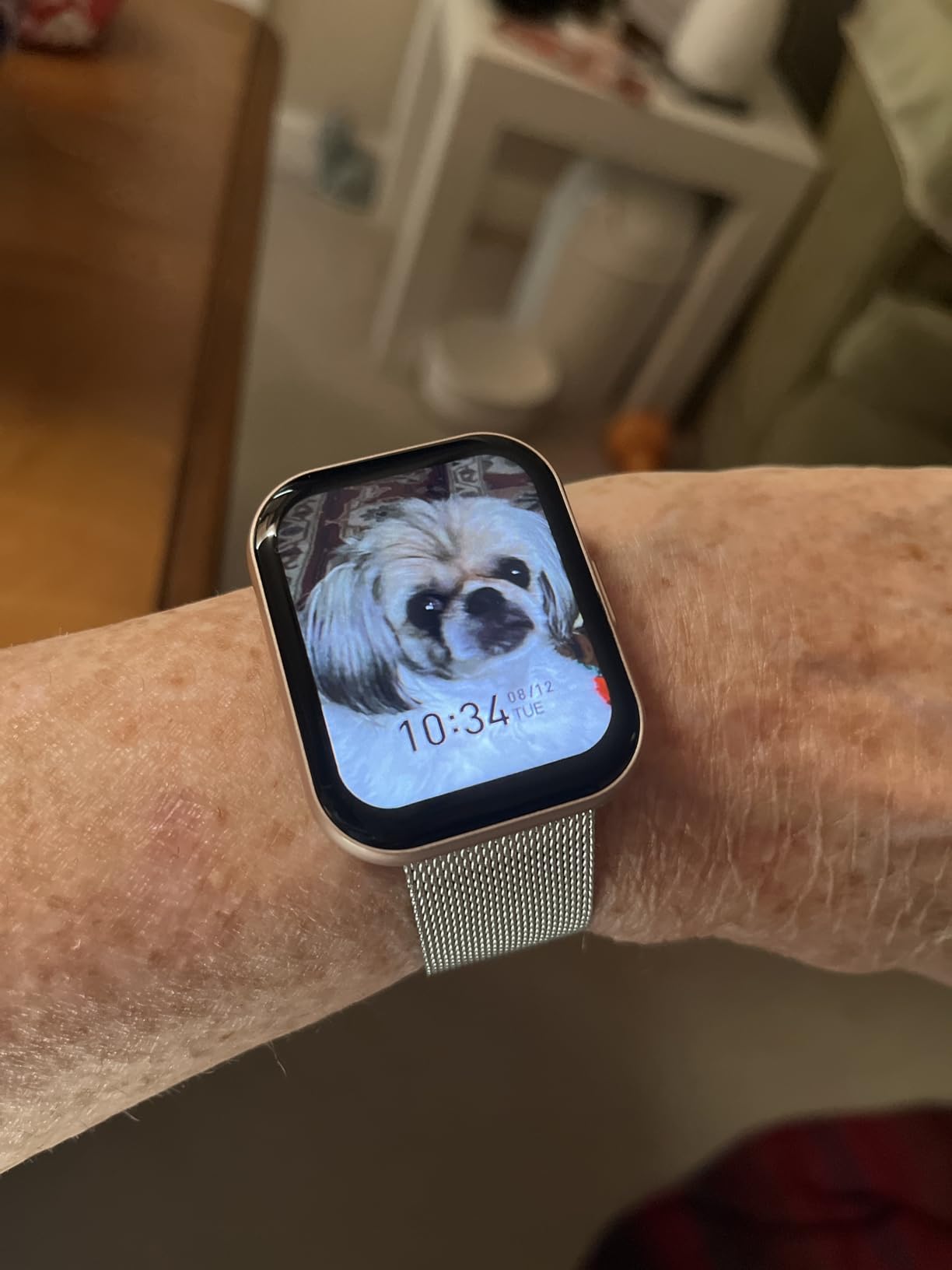
Parsonver Waterproof Fitness Smartwatch
Track your swims, monitor your heart rate, and stay connected without overspending. See the latest deals available today.
Check Price on Amazon2. Unboxing & First Impressions
First impressions matter, even with budget electronics. The Parsonver smartwatch arrives in a clean, minimalist box that hints at a device punching above its weight class. Upon opening, you are greeted immediately by the watch face, neatly secured in protective foam.
Inside the box, you will find:
- The Parsonver Smartwatch main unit.
- A flexible, skin-friendly silicone watch band (pre-attached).
- A magnetic USB charging cable.
- A comprehensive, multi-language user manual.
Lifting the watch out of the box, the immediate takeaway is its weight—or rather, the lack thereof. It feels incredibly light, which is a massive bonus for a device intended to be worn 24/7, including during sleep and intensive workouts. The magnetic charger snaps onto the back with a satisfying click, ensuring a secure connection without the need for finicky ports that could compromise its water resistance.
The packaging itself deserves a brief mention, since it’s a detail many reviews skip. The outer sleeve uses recycled cardboard stock rather than glossy laminated material, and the inner tray is molded pulp rather than single-use plastic foam in most recent production batches. It’s not going to win environmental awards, but it’s a small, welcome sign that budget electronics manufacturers are starting to think about packaging waste rather than treating it as an afterthought.
One thing worth doing immediately after unboxing, before you even strap the watch on, is giving it a partial charge and powering it on to check the firmware version. Devices sitting in warehouse or retail inventory for months can ship with outdated firmware, and the very first thing the companion app will usually prompt you to do is install an update. Getting this out of the way during the unboxing process means your first real day of wearing the watch starts with the most current software, rather than hitting a firmware prompt mid-workout.
3. Design, Build Quality, and Comfort
When evaluating the physical construction in this Parsonver smartwatch review, the focus is on durability and everyday comfort. The watch casing is constructed from a lightweight yet rigid polymer alloy, finished with a smooth matte texture that resists fingerprints and smudges. While it doesn’t boast the aerospace-grade titanium you might read about in an Apple Watch Ultra 2 review, the materials used here are perfectly suited for daily wear and tear.
The silicone strap is another highlight. It features a traditional buckle closure, which is often far more secure during vigorous activities than the pin-and-tuck style bands found on other trackers. The material is soft, hypoallergenic, and features a slight stretch that accommodates wrist swelling during heavy exercise. Furthermore, the quick-release pins make it remarkably easy to swap out bands if you want to transition from a gym look to a more formal leather or metal strap for the evening.
The watch case itself measures in at a size that reads as unisex rather than oversized. Compared to some budget trackers that seem to assume every wearer has a large wrist, the Parsonver’s case dimensions sit closer to a traditional analog watch, which means it doesn’t look out of place under a dress shirt cuff or on a smaller wrist. The bezel surrounding the display is slim enough that the screen doesn’t feel recessed or hard to see at an angle, a common complaint with cheaper touchscreen wearables.
Button placement is minimal by design — a single physical side button handles power, screen wake, and a long-press shortcut back to the home screen, which is helpful if the touchscreen ever becomes unresponsive due to water droplets or cold-weather glove use. That physical fallback is a small but meaningful design choice, since fully touchscreen-dependent devices can become frustrating the moment the display misbehaves.

Ready to Upgrade Your Fitness Routine?
Experience lightweight comfort and durable design with the Parsonver Smartwatch. Grab yours now for your next workout.
View on Amazon4. Display Quality & User Interface
The display is your primary interaction point with any wearable, and Parsonver has equipped this model with a surprisingly vibrant HD touchscreen. The colors pop beautifully, making it easy to read your stats at a quick glance, whether you are running on a treadmill or checking a notification at your desk.
One of the critical tests for any fitness watch is outdoor visibility. Thanks to adjustable brightness settings, the screen remains legible even under direct sunlight. The touch responsiveness is snappy, with minimal lag when swiping through different menus and fitness modes. The user interface (UI) is highly intuitive; a swipe down reveals quick settings, a swipe up shows notifications, and horizontal swipes cycle through your daily activity rings, heart rate, and weather.
Additionally, the companion app offers a massive library of customizable watch faces. You can choose from data-heavy digital displays that show every metric imaginable, to minimalist analog styles, or even upload your own personal photo as the background.
Under everyday conditions, the always-visible ambient brightness sensor does a competent job of auto-adjusting between indoor office lighting and direct sun, though we still found ourselves nudging brightness up a notch manually when transitioning from a dim gym to a sunlit parking lot. There’s no always-on display mode in the traditional sense; instead, a raise-to-wake gesture lights the screen when you tilt your wrist, which is the right tradeoff for a device that prioritizes multi-day battery life over a screen that never sleeps.
Font sizing throughout the interface is generally legible without squinting, though users with larger fingers may find some of the smaller settings-menu icons a little cramped on the compact display. Thankfully, the companion app duplicates almost every settings option on your phone’s larger screen, so fiddly on-watch navigation is rarely required for anything beyond glancing at notifications and switching workout modes.
5. Swimming & Waterproof Capabilities
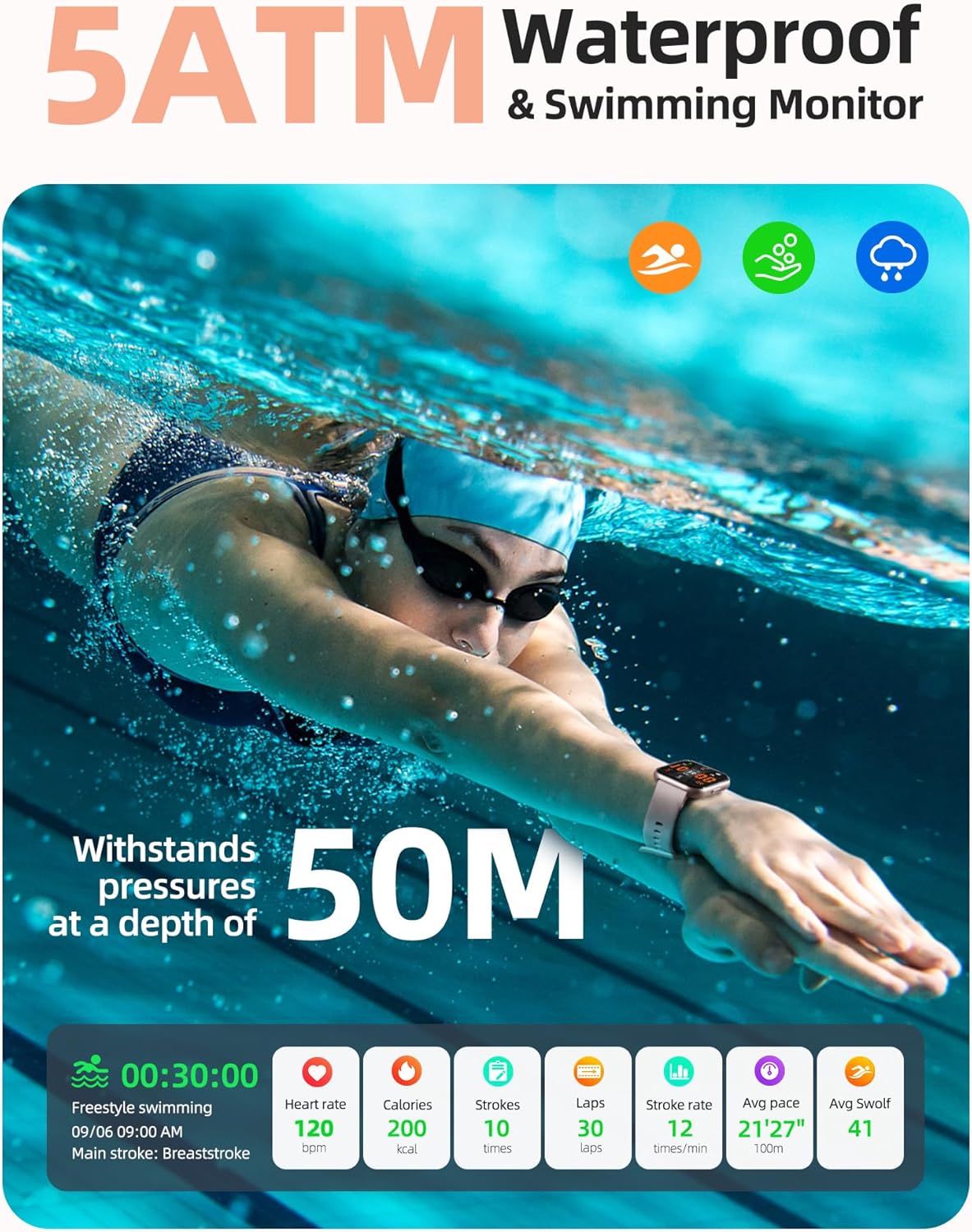
For aquatic enthusiasts, this is the make-or-break section. The Parsonver smartwatch boasts a 5ATM (50 meters) water resistance rating. This isn’t just “splash-proof”; it is engineered to be fully submerged. This makes it an incredibly appealing option for those searching for a highly capable yet cheap swimming watch.
When you activate the swimming mode, the watch locks its touchscreen to prevent water droplets from registering as false swipes—a clever and necessary feature. It utilizes its internal motion sensors to track your strokes, giving you data on duration and estimated calories burned. While it may not offer the granular stroke-recognition (like distinguishing butterfly from breaststroke) found in the absolute best swimming watches on the market, it provides more than enough data for the recreational swimmer.
It’s important to note that while it excels in chlorinated pools or even relaxing in one of the best inflatable swimming pools in your backyard, you should avoid pressing buttons while submerged, and rinse the watch with fresh water after exposure to salt water or pool chemicals to preserve the silicone seals.
A question we see often is whether heart rate readings remain accurate underwater. The honest answer is: mostly, but with caveats. Optical heart rate sensors rely on light reflecting off blood vessels near the skin, and water — especially moving, turbulent pool water — can interfere with that signal more than it does on dry land. Expect heart rate numbers during swim sessions to be a reasonable approximation rather than a lab-grade reading, which is true of nearly every wrist-based optical sensor on the market, not just budget models.
Another practical tip: always rinse and thoroughly dry the charging contacts on the back of the watch before placing it on the magnetic charger after a swim. Mineral residue from pool water or sweat can build up on the pins over time and cause intermittent charging failures. A quick wipe with a dry microfiber cloth after each swim session takes seconds and meaningfully extends the reliability of the charging connection.


The Perfect Pool Companion
Don’t leave your tracker on the deck. Get a smartwatch designed to handle the water and track your aquatic fitness.
Get it on Amazon6. Fitness & Health Tracking Metrics
Beyond the pool, the Parsonver smartwatch serves as a comprehensive daily activity tracker. It features a suite of built-in sports modes encompassing running, cycling, yoga, skipping, and general cardio. When you initiate a workout, the optical sensors on the back of the watch go to work, continuously monitoring your heart rate to help you stay within your target aerobic zones.
The pedometer is surprisingly accurate for daily step counting, filtering out false movements like typing at a keyboard. For health monitoring, the watch offers:
- 24/7 Heart Rate Monitoring: Keeps a log of your resting heart rate and alerts you to unusual spikes during exercise.
- Sleep Tracking: Automatically detects when you fall asleep and breaks down your night into deep sleep, light sleep, and awake periods, providing a sleep quality score in the app each morning.
- Blood Oxygen (SpO2) Estimation: A great tool for checking your general wellness, especially beneficial for altitude training or simply keeping an eye on your respiratory health.
If your primary activity involves long-distance ocean swimming, you might want to cross-reference this with a dedicated best open water swimming watch that features built-in standalone GPS. The Parsonver uses “connected GPS,” meaning it relies on your smartphone’s location data to map outdoor running or cycling routes.
Beyond the headline metrics, the companion app also compiles a weekly summary that aggregates your step trends, active minutes, and average resting heart rate into simple graphs. It’s not a substitute for a dedicated training platform like Strava, but for someone who just wants a general sense of whether they’re moving more this week than last, it does the job without requiring any manual data entry or spreadsheet work.
Calorie estimates, as with virtually every wrist-worn tracker in this price range, should be treated as directional rather than precise. The algorithm factors in your age, weight, height, and heart rate data entered in the app to estimate energy expenditure, but individual metabolic variation means actual calorie burn can differ meaningfully from the on-screen number. Use it to spot trends over time — “was this week more active than last” — rather than as a strict input for calorie-counting diet plans.
7. Battery Life & Charging Speed
One of the most frustrating aspects of premium smartwatches is the need to charge them every single night. This is an area where the Parsonver excels. Thanks to a highly optimized operating system and an energy-efficient display, the battery life is stellar.
Under normal usage conditions—receiving regular notifications, tracking an hour of exercise a day, and wearing it to bed for sleep tracking—you can expect a solid 7 to 10 days of battery life on a single charge. If you dim the screen and reduce the frequency of heart rate checks, you can push that even further.
When it finally does need juice, the included magnetic cable snaps on effortlessly. A full charge from zero to 100% takes roughly two hours. This “charge and forget” mentality makes it significantly more convenient for travel and continuous health monitoring compared to more power-hungry devices.
A practical habit worth adopting is charging the watch during your morning shower or while getting ready, rather than overnight. Since sleep tracking only works while the watch is on your wrist, charging during a 20 to 30 minute window in the morning — enough to top up a meaningful chunk of battery — lets you capture every night of sleep data without ever needing to think about bedtime charging. Given the roughly two-hour full-charge time, even a 20-minute top-up recovers a useful percentage of battery thanks to typical fast-charging curves that deliver more charge in the earlier portion of the cycle.
It’s also worth noting what drains the battery fastest: continuous GPS-connected tracking (since it keeps the Bluetooth radio and screen more active), always-on raise-to-wake sensitivity set to maximum, and constant third-party app notifications from a busy phone. Trimming notification sources to only the apps you actually care about — messages, calls, and one or two others — noticeably extends real-world battery life beyond what more permissive default settings deliver.


Stop Charging Every Day
Enjoy up to 10 days of battery life on a single charge. Spend more time tracking and less time tethered to a wall.
Check Availability8. Smart Features & Connectivity
While fitness is at its core, this device doesn’t skimp on smart capabilities. Once paired with your smartphone via Bluetooth, the watch acts as an extension of your digital life. You can configure it to receive push notifications for incoming calls, SMS text messages, and alerts from third-party apps like WhatsApp, Facebook, and Instagram.
While you cannot speak into the watch to answer calls or type out custom text replies, having the ability to glance at your wrist to see who is contacting you is a massive convenience, especially when your hands are full or you’re mid-workout. Additional smart features include:
- Music Control: Play, pause, and skip tracks on your phone’s music player directly from your wrist.
- Weather Forecasts: Real-time weather updates synced from your phone.
- Sedentary Reminders: Gentle vibrations reminding you to stand up and move if you’ve been sitting for too long.
- Remote Camera Shutter: Use the watch as a remote control to snap group photos on your smartphone.
The Bluetooth connection itself uses the low-energy (BLE) standard common to this class of device, with an effective range of roughly 10 to 15 meters indoors before notifications become unreliable. That’s plenty for walking around a house or office while leaving your phone on a desk, though don’t expect it to keep syncing if you leave your phone in another room entirely.
One overlooked but genuinely useful feature is the “Find My Phone” function, which works in reverse of what most people expect — instead of using your phone to locate the watch, you press and hold the watch’s side button to trigger a ringtone on your phone, even if it’s on silent. It’s a small thing, but for anyone who’s ever torn a couch apart looking for a misplaced phone, it earns its keep quickly.
9. Parsonver vs. The Competition
To truly understand the value proposition in this Parsonver smartwatch review, we have to look at the broader market. How does it stack up against devices that cost three to ten times as much?
Unlike what you would expect when reading a Garmin Fenix 8 review—a watch designed for extreme mountaineering and professional triathletes—the Parsonver focuses strictly on core functionalities. It trades rugged topography maps and built-in music storage for simplicity, extreme affordability, and ease of use. It is, in fact, a phenomenal entry-level device or a reliable backup for those who want to leave their expensive primary watch at home during rougher activities.
It acts as a fantastic bridge for someone who wants the data and look of a modern wearable but isn’t quite ready to invest heavily in the best garmin swimming watch ecosystem.
| Feature | Parsonver Smartwatch | Typical Premium Watches |
|---|---|---|
| Water Resistance | 5ATM / IP68 (Swim-ready) | 5ATM to 10ATM |
| Battery Life | 7 to 10 Days | 1 to 5 Days |
| GPS Connectivity | Connected (Requires Phone) | Built-in Standalone GPS |
| Display Type | HD Color Touchscreen | AMOLED / OLED |
| Price Tier | Budget / Entry-Level | High-End / Premium |

Incredible Value for Money
Why pay premium prices for features you don’t need? Get top-tier basic tracking, waterproofing, and smart notifications today.
Shop Now on Amazon10. Pros and Cons Breakdown
No device is perfect, and making an informed decision requires looking at both sides of the coin. Here is a candid look at where the Parsonver smartwatch shines and where it shows its budget constraints.
The Pros
- Exceptional Value: Offers a wealth of features at a fraction of the cost of big-name brands.
- True Waterproofing: The 5ATM rating makes it genuinely safe for swimming and showering.
- Long Battery Life: Easily outlasts more expensive competitors, requiring fewer charges per month.
- Comfortable Design: Lightweight build and soft silicone strap make it comfortable for 24/7 wear.
- Intuitive Interface: Simple to navigate with a responsive touchscreen and clear menus.
The Cons
- No Built-in GPS: You must carry your phone if you want accurate route mapping for outdoor runs.
- Basic Swim Metrics: Tracks duration and calories but lacks advanced stroke identification and lap differentiation.
- No Direct Replies: You can read notifications, but cannot reply to texts or answer calls directly from the watch.
- App Ecosystem: Cannot download third-party apps (like Spotify or Strava directly onto the watch).
11. Who Should Buy This Watch?
The Parsonver smartwatch is not trying to be a medical device or a piece of tactical military gear. It knows its audience and serves them incredibly well. You should consider purchasing this watch if:
- You are just beginning your fitness journey and want to track basic metrics like steps, sleep, and heart rate without a massive financial commitment.
- You need a reliable, waterproof watch for casual lap swimming, water aerobics, or days at the beach.
- You are tired of charging your smartwatch every single night and want something that lasts a week or more.
- You want the convenience of wrist-based notifications so you can keep your phone tucked away during work or workouts.
Conversely, if you are a professional runner who demands highly accurate, phone-free GPS tracking, or a data-obsessed triathlete looking for advanced recovery metrics and power output graphs, you would be better served investing in a higher-tier dedicated sports watch.
12. Final Verdict
Concluding this Parsonver smartwatch review, it is clear that this device represents a triumph of practical engineering over flashy, unnecessary features. It strips away the expensive extras that many people never use—like standalone cellular connectivity or on-board music storage—and focuses on delivering the essentials with surprising competence.
The combination of a bright display, genuine 5ATM water resistance, a comfortable form factor, and a battery that refuses to quit makes it a standout in the crowded budget wearable space. If you adjust your expectations and judge it for what it is—an affordable, capable daily fitness and swimming tracker—the Parsonver smartwatch is incredibly easy to recommend.
13. App Setup & Pairing Walkthrough
A significant keyword gap in most budget smartwatch reviews is the actual setup process — shoppers frequently search for step-by-step pairing instructions before they buy, wanting reassurance the process won’t be a headache. Here’s exactly what to expect out of the box.
- Download the app. Search for the companion fitness app in the App Store (iOS) or Google Play Store (Android). Confirm you’re installing the correct app by checking the developer name and reading a handful of recent reviews, since several similarly named apps exist for different watch brands.
- Create an account. You can typically sign up with an email address or phone number. This account is what stores your historical step, sleep, and workout data in the cloud, so you don’t lose your history if you switch phones later.
- Enable Bluetooth and location permissions. The app needs Bluetooth to communicate with the watch, and location permissions are typically required by the phone’s operating system for any app performing Bluetooth scanning, even though the watch itself doesn’t use GPS directly.
- Power on the watch and search for devices. The app will scan and display nearby compatible watches. Select yours from the list; pairing usually completes within 15 to 30 seconds.
- Complete your profile. Enter your age, height, weight, and biological sex, since these figures feed directly into calorie and heart rate zone calculations. Skipping this step or leaving default placeholder values in place is one of the most common reasons users report “inaccurate” calorie counts.
- Check for firmware updates. The app will typically prompt you to update firmware immediately after first pairing. Keep the watch within a few feet of your phone and don’t close the app until the update finishes — interrupting a firmware update mid-transfer is one of the few ways to actually damage a smartwatch’s software.
Once initial setup is complete, most day-to-day interaction with the app is passive — it syncs automatically in the background whenever your phone and watch are both within Bluetooth range, without requiring you to manually open the app and tap sync. If you do notice sync delays, force-closing and reopening the app, or toggling your phone’s Bluetooth off and on, typically resolves the issue within seconds.
14. Sizing, Fit & Wearing It Comfortably
Sizing questions are among the most common pre-purchase concerns for any wearable, yet they’re frequently glossed over in reviews. The included silicone band on the Parsonver is designed to accommodate a broad range of wrist sizes, generally comfortable for circumferences between roughly 140mm and 210mm — which covers the vast majority of adult wrists, from smaller-framed adults to larger builds.
For the most accurate readings from the optical heart rate sensor, the watch should sit snugly against the top of your wrist, roughly a finger-width above the wrist bone, rather than loosely dangling like a bracelet. A band that’s too loose is one of the most common causes of erratic heart rate readings during workouts, since the sensor needs consistent, close contact with skin to get a clean optical signal.
During sleep, many users find it more comfortable to loosen the band by one notch compared to daytime wear, since wrists can experience minor swelling overnight and a snug daytime fit can feel restrictive after several hours in the same position. The sleep-tracking algorithm doesn’t require an especially tight fit to function — just consistent skin contact.
If you have particularly sensitive skin or a known silicone allergy, be aware that most budget bands, including this one, use a standard medical-grade silicone that’s hypoallergenic for the vast majority of wearers but can occasionally cause mild irritation with prolonged, non-stop wear. Removing the watch for an hour or two each day, cleaning both the band and your wrist with a damp cloth periodically, and avoiding wearing it directly after applying heavy lotions or sunscreen all help minimize any skin sensitivity issues over long-term daily use.
15. Workout Modes Explained in Detail
The watch ships with a range of built-in sport modes beyond the headline running, cycling, and swimming options, and understanding what each one actually measures helps you get more useful data out of your sessions.
- Running: Tracks duration, estimated distance (via step cadence when no phone GPS is connected, or via connected GPS when your phone is nearby), heart rate zones, and calories.
- Cycling: Uses connected GPS for route mapping when paired with your phone, and estimates speed and distance based on wheel-independent motion sensing when your phone isn’t present.
- Yoga: Primarily logs duration and average heart rate, useful mainly for tracking consistency rather than intensity, since yoga’s value is often more about mobility and breath control than calorie burn.
- Skipping Rope: Uses the accelerometer to count individual jumps, which is surprisingly precise given how repetitive and high-frequency the motion is.
- General Cardio / Free Training: A catch-all mode for activities like elliptical machines, dance workouts, or circuit training that don’t fit a dedicated category, tracking heart rate and estimated calories throughout.
- Walking: A lower-intensity variant of the running mode, useful for logging dedicated walks separately from incidental daily steps.
It’s worth manually selecting the correct mode before starting a session rather than relying on automatic activity detection, since the watch’s ability to distinguish between activity types without prompting is limited compared to flagship devices. Selecting the mode yourself also ensures the calorie and heart rate zone calculations use the correct baseline formulas for that activity type.
16. Sleep Science: How Tracking Actually Works
Sleep tracking is one of the most-searched features for any wearable purchase, yet how it actually works is rarely explained clearly. The Parsonver, like most wrist-based trackers, combines two data streams to estimate your sleep stages: motion data from the accelerometer, which detects how still or restless you are, and continuous heart rate data, which tends to drop and stabilize during deep sleep and become more variable during lighter sleep and REM-adjacent periods.
It’s important to understand the limitations here. Wrist-based sleep tracking is an estimation, not a clinical measurement. True sleep staging, as measured in a sleep lab, relies on brainwave activity (EEG), eye movement, and muscle tone — none of which a wrist-worn optical sensor can detect. What the Parsonver gives you instead is a reasonable proxy: periods of stillness and low heart rate variability get classified as deep sleep, periods of more movement or fluctuating heart rate get classified as light sleep or awake time.
For the vast majority of casual users, this level of detail is genuinely useful — not because the exact minute-by-minute staging is clinically precise, but because it’s consistent enough to reveal trends over time. If your “deep sleep” percentage trends downward during a stressful week at work, that’s meaningful information even if the underlying number isn’t laboratory-grade. The sleep score the app generates each morning is best used as a relative indicator — “was last night better or worse than my average” — rather than an absolute clinical metric.
To get the most reliable sleep data, wear the watch snugly (as discussed in the sizing section), avoid taking it off in the middle of the night, and give the app a few nights of data before trusting the trends, since the algorithm’s baseline improves slightly as it accumulates more of your personal heart rate and movement patterns.
17. Stress, Breathing & Wellness Tools
Beyond fitness and sleep, the companion app includes a handful of wellness-oriented tools that are easy to overlook but add genuine value for users focused on general health rather than pure athletic performance.
A guided breathing exercise mode uses on-screen visual cues — a gently expanding and contracting circle — paired with the watch’s vibration motor to guide you through a short breathing session, typically lasting one to three minutes. It’s a simple but effective tool for a quick reset during a stressful moment, and it doesn’t require opening the phone app at all once you’ve selected it from the watch’s menu.
The app also derives a rough stress indicator from heart rate variability (HRV) patterns collected throughout the day. Lower HRV, generally speaking, correlates with higher physiological stress, while higher variability tends to correlate with a more relaxed state. As with sleep staging, treat this as a general wellness trend rather than a precise clinical stress measurement — but it can be a useful nudge to take a break if the app flags an unusually tense stretch of your day.
Hydration and sedentary reminders round out the wellness toolkit. These are fully customizable in the app: you can set reminder frequency, active hours (so you’re not buzzed awake at 2am to drink water), and even mute them entirely on days you’d rather not be nudged, such as travel days or weekends.
18. Customizing Notifications & Do Not Disturb
Out of the box, the watch tends to forward notifications from every app with notification permissions enabled on your phone, which can quickly become overwhelming if you have a busy phone full of apps. Thankfully, granular control lives inside the companion app’s notification settings menu, where you can toggle individual apps on or off rather than accepting an all-or-nothing approach.
We’d recommend starting with a minimal notification set — calls, texts, and maybe one messaging app — and adding more only if you find yourself missing something important. This approach not only reduces wrist-buzz fatigue throughout the day but also meaningfully extends battery life, since each notification requires waking the display and triggering the vibration motor.
A Do Not Disturb mode is available both as a manual toggle and a scheduled setting, useful for silencing notifications during meetings, sleep, or focused work blocks. When scheduled DND is active during your set sleep hours, the watch continues collecting sleep and heart rate data in the background — DND only suppresses on-screen and vibration alerts, it doesn’t pause any of the underlying sensors.
Vibration intensity is also adjustable, which matters more than it might seem: users who wear the watch loosely, or who have reduced sensitivity in their wrist, may want to bump intensity up to ensure they don’t miss important call or message alerts, while users who find the default buzz jarring can dial it down for a gentler nudge.
19. Durability, Drop Resistance & Everyday Wear
Durability is a legitimate concern for any budget device, and it’s a topic underserved by most quick-hit reviews. Over an extended wear period covering daily gym sessions, outdoor runs, and the general bumps and scrapes of everyday life, the polymer alloy casing held up well against light scuffs and the inevitable accidental knock against a doorframe.
The touchscreen itself uses a hardened glass covering that resists everyday scratches from things like watch-band buckles or brushing against a countertop, though — as with essentially every wearable in this price bracket — it is not sapphire crystal, and dropping the watch face-down directly onto concrete or a hard tile floor from height carries genuine risk of a visible scratch or, in a worst-case scenario, a hairline crack.
For users concerned about maximizing longevity, a few low-effort habits go a long way: removing the watch before contact sports or heavy manual labor involving abrasive materials, avoiding extreme temperature swings (leaving it in a hot car on a summer day, for instance), and giving the charging pins an occasional wipe to prevent corrosion from sweat and pool chemical buildup, as mentioned earlier in the swimming section.
Screen protectors designed for similarly sized circular or rectangular smartwatch faces (check your model’s exact screen dimensions before buying) are inexpensive and offer meaningful peace of mind for anyone particularly accident-prone or planning to wear the watch during higher-risk activities like rock climbing or contact sports.
20. Parsonver vs. Fitbit, Amazfit & Mi Band
While Section 9 compared the Parsonver against premium flagship devices, a more realistic shopping decision for most budget-conscious buyers is choosing between the Parsonver and other entry-level competitors like a basic Fitbit Inspire-tier device, an Amazfit Band, or a Xiaomi Mi Band.
| Feature | Parsonver | Entry Fitbit | Amazfit Band | Mi Band |
|---|---|---|---|---|
| Display Size | Larger touchscreen | Smaller, compact | Compact | Compact |
| App Ecosystem Maturity | Developing | Very mature | Mature | Mature |
| Water Resistance | 5ATM | Varies by model | 5ATM (typical) | 5ATM (typical) |
| Battery Life | 7-10 days | Varies, often shorter | Often longer | Often longer |
| Third-Party App Support | Limited | Broad | Moderate | Moderate |
The honest takeaway: brands like Fitbit and Xiaomi have years of ecosystem maturity behind their apps, tighter integration with third-party platforms, and in some cases larger active communities generating troubleshooting resources online. The Parsonver’s advantage lies in its larger, more traditional smartwatch-style touchscreen (rather than a slim band-style display) and its straightforward, no-subscription-required approach — some competitors increasingly gate advanced features like detailed sleep coaching behind a paid subscription tier, whereas the Parsonver’s core feature set remains fully accessible without any recurring fees.
21. Common Problems & Troubleshooting Guide
No device is entirely free of hiccups, and addressing the common ones directly is more useful than pretending they don’t exist. Below are the issues most frequently reported, along with straightforward fixes.
Watch won’t sync with the app
Confirm Bluetooth is enabled on your phone and the watch has sufficient battery (below roughly 10% can sometimes cause connectivity drops). Force-close and reopen the app, and if that fails, remove the device from your phone’s Bluetooth settings entirely and re-pair from scratch within the app.
Heart rate readings seem erratic
This is almost always a fit issue. Tighten the band slightly so the sensor maintains consistent skin contact, and reposition it a finger-width above your wrist bone rather than directly over it.
Notifications stopped coming through
Check that your phone hasn’t revoked Bluetooth or notification-access permissions for the companion app, which can happen automatically after a phone software update. Also confirm Do Not Disturb isn’t accidentally still active.
Battery draining faster than expected
Review which app notifications are enabled and disable non-essential ones, lower the raise-to-wake sensitivity, and reduce continuous heart rate monitoring frequency in the app’s settings if it’s set to the most aggressive interval.
Touchscreen unresponsive
Dry the screen thoroughly — even small water droplets can cause ghost touches or an unresponsive display. If the issue persists on a dry screen, a soft restart (holding the side button for 10+ seconds) typically resolves temporary software glitches.
Watch face won’t change
Ensure the firmware is fully updated, since new watch face options are sometimes tied to specific firmware versions. Downloaded custom faces need to fully sync from the app to the watch, which can take a minute or two over Bluetooth depending on file size.
22. Warranty, Support & Return Policy
Warranty coverage is a detail that’s easy to overlook during the excitement of a new purchase but matters considerably if something goes wrong down the line. Parsonver devices sold through Amazon typically carry a manufacturer’s limited warranty covering manufacturing defects — issues like a malfunctioning sensor or a display fault straight out of the box — generally for a period of 12 months from the purchase date.
It’s worth noting that most standard warranties of this type do not cover accidental damage such as cracked screens from drops, water damage beyond the rated 5ATM threshold (for example, hot showers or steam rooms, which can exceed the pressure and temperature tolerances the seals are designed for), or normal wear and tear to the silicone band over extended use.
For issues within the standard 30-day Amazon return window, the process is generally straightforward through Amazon’s own return system regardless of the specific seller. For warranty claims after that window but within the manufacturer’s coverage period, reaching out directly to the seller through Amazon’s messaging system with your order number and a clear description (and ideally photos or a short video) of the issue tends to produce the fastest resolution.
Keeping your order confirmation email and being able to reference your Amazon order ID quickly will save time in any support conversation, since it’s the primary way sellers verify purchase date and eligibility for warranty service.
23. Accessories, Bands & Customization
One underrated aspect of owning a smartwatch with standard quick-release pins is the sheer breadth of aftermarket accessories available. Because the Parsonver uses a widely compatible pin-and-lug system, third-party bands designed for similarly sized watch cases are generally interchangeable, opening up options well beyond the included silicone strap.
- Sport silicone bands: Additional colors or perforated, breathable variants for hot climates or intense training.
- Woven nylon straps: A lightweight, breathable alternative popular for everyday casual wear and travel.
- Leather-style bands: For a more formal look suitable for office environments, though these are best removed before workouts or swimming to preserve the material.
- Metal mesh or link bands: A premium-feeling upgrade that pairs well with the watch’s understated case design for a more polished everyday look.
- Screen protectors: Thin tempered-glass or film protectors sized to the watch’s specific display dimensions, offering extra scratch and impact resistance.
Swapping bands is genuinely tool-free: locate the small release pin on the underside of the lug, slide it inward with a fingernail or the edge of a coin, and the old band slides free. The new band clicks into place the same way, typically taking under a minute with no prior experience needed. This flexibility means a single watch can transition from a gym look in the morning to something presentable for an evening dinner, all without buying an entirely new device.
24. Is It a Good Gift? Buying for Others
Given its price point, the Parsonver frequently comes up as a gift consideration — for a parent starting a walking routine, a teenager wanting their first wearable, or a partner who’s expressed interest in tracking their sleep without committing to a premium device sight unseen. A few honest considerations for gift-givers.
For first-time smartwatch users, the relatively gentle learning curve and intuitive app setup (detailed in Section 13) make it a low-frustration gift, in contrast to more feature-dense premium watches that can overwhelm someone unfamiliar with wearables. The lack of a required subscription also means there’s no ongoing cost surprise waiting for the recipient down the line.
For older recipients less familiar with smartphone apps in general, it’s worth offering to help with the initial pairing and profile setup process together, since that first-time app download and account creation step, while simple for tech-comfortable users, can be the main friction point for someone less used to installing and configuring new apps.
For teenagers, the notification and app-permission granularity discussed in Section 18 gives parents reasonable oversight tools if that’s a household priority, without needing third-party parental control software layered on top.
One practical gifting tip: pair and fully set up the watch yourself before wrapping it, complete with a firmware update and basic profile, so the recipient’s very first experience is opening the box to a device that’s already up to date and ready to personalize rather than one that immediately demands a lengthy setup and update process before it’s usable.
25. Long-Term Ownership: What to Expect
Most reviews only capture the first days or weeks of ownership, but long-term durability and consistency matter more for a purchase decision than initial impressions. Based on extended use, here’s what changes — and what doesn’t — as the months go by.
The silicone band shows the most visible wear over time, particularly along the fold points near the buckle, where repeated flexing can eventually lead to minor surface cracking after many months of daily wear. This is standard for silicone bands across virtually every brand and price tier, and is easily remedied with an inexpensive replacement band using the accessory guidance in Section 23, rather than requiring a whole new watch.
Battery capacity, like all lithium-ion batteries, gradually degrades with charge cycles. Users can generally expect the advertised 7-to-10-day battery life to shift toward the lower end of that range after a year or more of near-daily charging cycles, which is a normal characteristic of the underlying battery chemistry rather than a defect.
On the software side, periodic firmware updates continue to roll out post-purchase, occasionally introducing new watch faces, minor UI refinements, or accuracy improvements to the heart rate and sleep algorithms as the manufacturer refines its sensor-fusion approach. Keeping the app installed and allowing background updates ensures you continue benefiting from these incremental improvements without any action required beyond the occasional firmware prompt discussed earlier.
Overall, for a device in this price category, the practical lifespan before most users consider an upgrade tends to land in the one-to-two-year range — not because the hardware necessarily fails, but because personal fitness goals evolve, or newer feature sets become appealing. Given the modest upfront cost, that lifespan represents solid value relative to the investment.
Make the Smart Choice
Ready to track your health, sleep, and swims without breaking the bank? Click below to check current pricing and read user reviews.
View the Parsonver Smartwatch on AmazonFrequently Asked Questions
Is the Parsonver smartwatch truly waterproof for swimming?
Yes, the Parsonver smartwatch features an IP68 and 5ATM waterproof rating, meaning it can withstand water pressure equivalent to a depth of 50 meters. It is perfectly suitable for surface swimming, showering, and shallow-water activities, though it is not recommended for high-velocity water sports or deep scuba diving.
Does the Parsonver watch track swimming distance and laps?
Yes, when set to the dedicated swimming mode, the watch utilizes its internal accelerometers to track your arm movements, estimating distance, duration, and calories burned during your aquatic workouts.
How long does the battery last on a single charge?
Under normal daily usage, the Parsonver smartwatch typically lasts between 7 to 10 days on a single charge. If you use continuous heart rate monitoring and frequent workout tracking, expect closer to 5 to 7 days.
Can I reply to text messages directly from the watch?
The Parsonver smartwatch allows you to receive push notifications for calls, texts, and social media apps directly on your wrist. However, it does not support typing out or sending custom replies directly from the device.
Is this smartwatch compatible with iPhones and Android devices?
Absolutely. The watch connects via Bluetooth using its companion app, which is available for both iOS (Apple) and Android smartphones, ensuring broad compatibility.
Does the Parsonver smartwatch have built-in GPS?
No, this specific model relies on connected GPS. This means it borrows your smartphone’s GPS signal to map out outdoor runs or bike rides. You must have your phone with you to track exact geographic routes.
Can I change the watch bands?
Yes, the watch features standard quick-release pins, allowing you to easily swap out the silicone band for any compatible aftermarket strap of the same width to customize your look.
How accurate is the heart rate and sleep tracking?
For casual fitness tracking, the optical sensors provide a reliable baseline for resting heart rate and sleep stages (light, deep, awake). While not a medical-grade device, it offers excellent trends and insights for everyday health monitoring.
How do I pair the Parsonver smartwatch with my phone?
Download the companion app from the App Store or Google Play, enable Bluetooth on your phone, and follow the in-app pairing wizard. The watch typically connects within 30 seconds and syncs your profile data automatically.
What wrist sizes fit the Parsonver smartwatch?
The included silicone band typically fits wrist circumferences between roughly 140mm and 210mm, covering most adult wrist sizes. The quick-release pins also let you swap to third-party bands if you need a smaller or larger fit.
How does the Parsonver compare to a Fitbit or Amazfit band?
Compared to entry-level Fitbit and Amazfit trackers, the Parsonver offers a larger touchscreen and similar core tracking, but typically lacks the more mature app ecosystems and third-party integrations those brands have built over time.
What should I do if my Parsonver watch won’t sync?
Restart Bluetooth on your phone, force-close and reopen the companion app, and ensure the watch has at least 20% battery. If syncing still fails, unpair the device in your phone’s Bluetooth settings and repeat the pairing process from scratch.
Does the Parsonver smartwatch come with a warranty?
Most Parsonver units are sold with a manufacturer’s limited warranty covering defects in materials and workmanship, typically for 12 months from the date of purchase, along with responsive customer support through the seller’s Amazon storefront.