Apple Watch Ultra 2 Review: The Swimmer’s Take on Apple’s Toughest Watch
A hands-on look at the Apple Watch Ultra 2 for lap swimmers, open-water athletes, and anyone deciding between titanium and traditional sports watches.
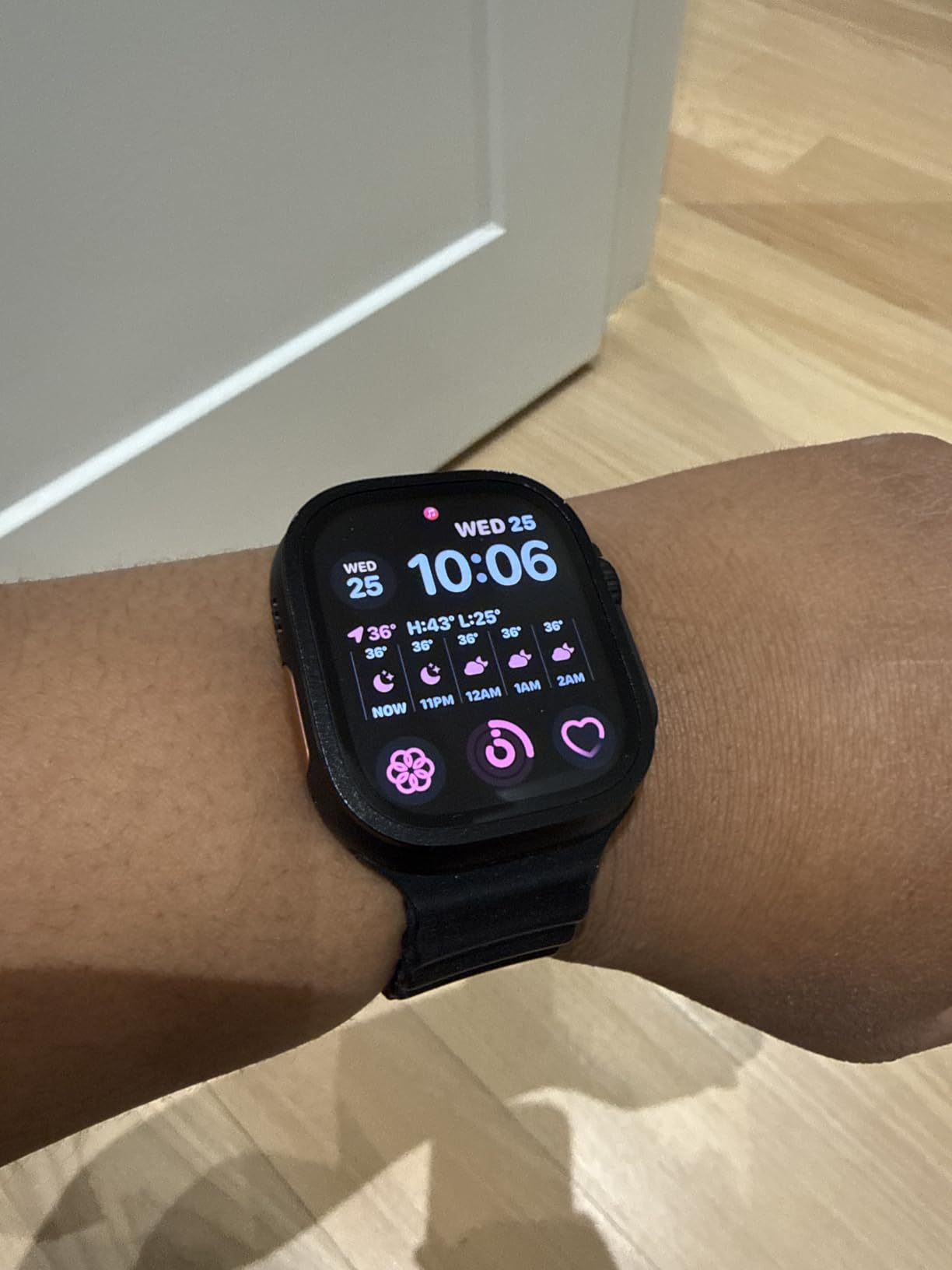
Quick Verdict: Where the Apple Watch Ultra 2 Stands
The Apple Watch Ultra 2 is the closest thing Apple has made to a true outdoor sports watch, and after weeks of pool sessions, open-water swims, and everyday wear, it earns that reputation more than any Apple Watch before it. It is not simply a bigger Apple Watch. The titanium case, the brighter always-on display, the dramatically improved battery life, and a genuinely useful set of swim and dive features change how the watch behaves in and around water, which is exactly the audience this review is written for.
That said, it is still an Apple Watch at its core, which means it inherits both the strengths and the limitations of watchOS. If you already live inside the Apple ecosystem and want a single device that can track a triathlon, answer a message from the ocean, and last through a long open-water swim without dying halfway, the Ultra 2 is one of the most complete options available. If your priority is squeezing out every last meter of GPS-only battery life across multi-day adventures, a dedicated outdoor GPS watch may still edge it out, and we cover exactly where that trade-off happens later in this review.
Before diving into every feature, it’s worth setting expectations: this review leans heavily on swimming and open-water use because that’s where the Ultra 2 differentiates itself most from a standard Apple Watch. If you want the wider landscape of options first, our guide to the best swimming watches is a good place to see how the Ultra 2 fits among Garmin, Suunto, and other rivals.
Apple Watch Ultra 2 (49mm, Cellular)
Check current price, colorways, and band options on Amazon.
Check Price on AmazonDesign & Build Quality
The 49mm titanium case is the single biggest reason the Ultra 2 feels like a different category of device compared to the standard Apple Watch Series lineup. Titanium keeps the watch lighter than its size suggests, while the flat sapphire crystal front resists the kind of scuffing that would quickly mar an aluminum case against pool ladders, rocks, or gear bags. After repeated contact with pool decks and open-water entry points, the case has held up with no visible pitting or dulling, which is the kind of durability that matters more to swimmers than to office wearers.
Apple redesigned the Digital Crown and side button specifically so they could be operated with wet, gloved, or cold fingers, and the raised crown guard around the crown genuinely reduces accidental presses when the watch brushes against a wetsuit sleeve or paddle. The Action Button on the left side is the most useful new physical control: it can be mapped to instantly start a workout, trigger a dive computer session, mark a lap, or fire off a Backtrack waypoint, all without unlocking the screen or hunting through menus while treading water.


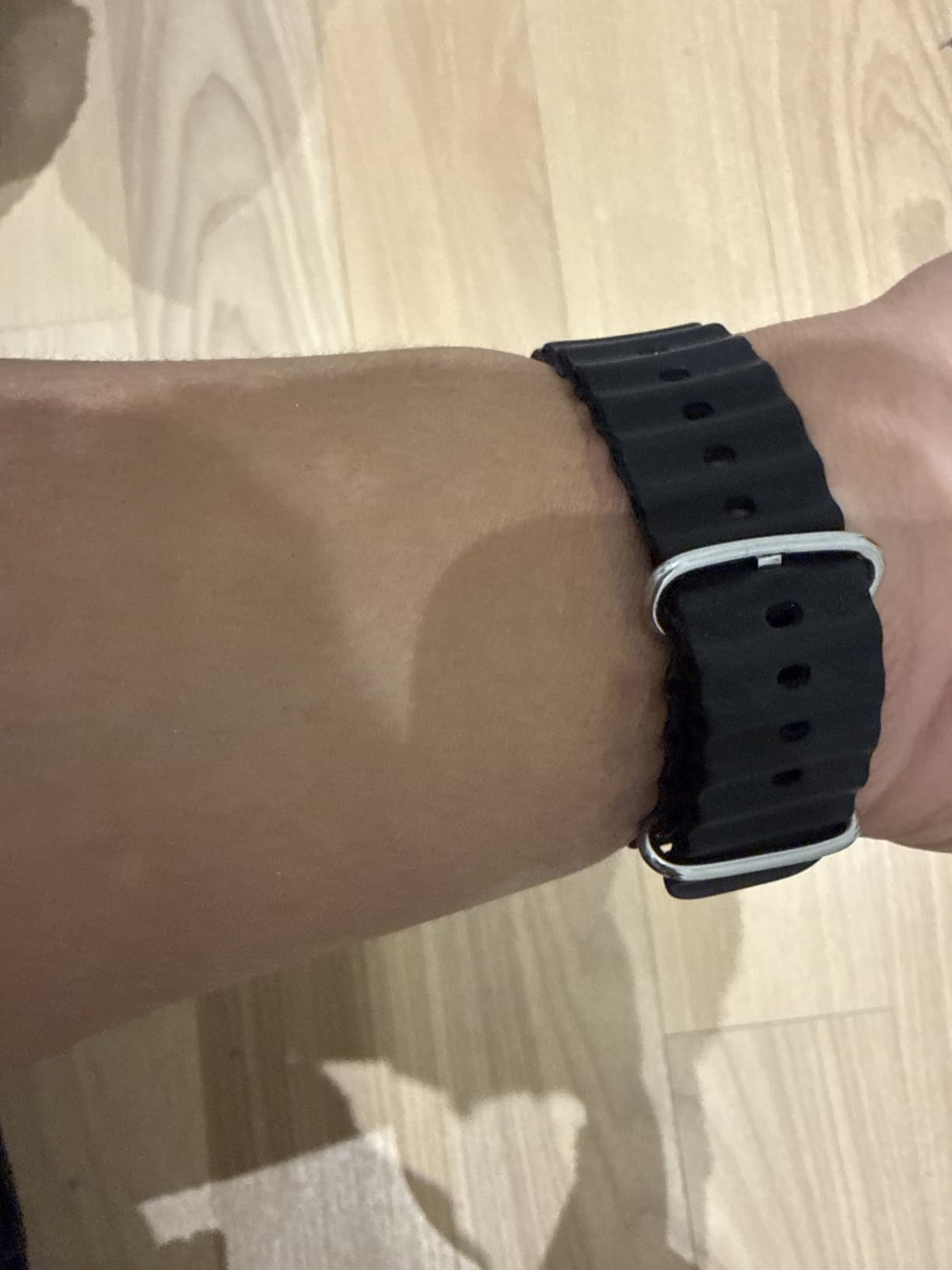
Band options matter a lot for swimmers, and this is one area where Apple clearly designed with water sports in mind. The Ocean Band, made from a fluoroelastomer, does not absorb water, dries almost instantly, and has enough stretch to fit comfortably over a wetsuit sleeve. The Trail Loop and Alpine Loop are better suited to hiking and everyday wear but are still reasonably water-tolerant. For anyone doing back-to-back pool sessions and open-water swims, the Ocean Band is worth prioritizing over the more style-focused Milanese or Sport Loop options that Apple sells for the standard lineup.
At 61.4 grams for the titanium case alone, the Ultra 2 is noticeably heavier on the wrist than a typical swimming watch from Garmin or Suunto, and swimmers with smaller wrists may find the 49mm case sits high and can occasionally catch on a wetsuit cuff during the catch phase of a stroke. It is a trade-off for the bigger battery, bigger screen, and titanium shell, and most testers adjust to the size within the first few sessions.
Sizing & Fit Guide for Swimmers
Unlike the standard Apple Watch, which comes in two case sizes, the Ultra 2 is only offered in a single 49mm case. That simplifies the buying decision but makes fit a more important question to answer before ordering, especially for swimmers who wear the watch through hours of stroke work every week rather than just glancing at it between meetings. A watch that shifts, digs in, or rides up during a flip turn is more than an annoyance; it can throw off heart rate readings and become genuinely distracting mid-set.
Measuring Your Wrist Before You Buy
Apple’s official band sizing wraps a tape measure or strip of paper snugly around the wrist just above the wrist bone, then compares that measurement against the small, medium, or large band inserts included with most band styles. For swimmers, it’s worth measuring at the point where the watch will actually sit during a workout, since many people wear the Ultra 2 slightly higher up the forearm during swimming than they would during daily wear, both for comfort under a wetsuit cuff and to reduce splash interference with the optical heart rate sensor.
How the Case Height Affects Stroke Mechanics
The Ultra 2’s case sits taller off the wrist than most dedicated swim watches because of the raised crown guard and thicker sapphire front. Swimmers with a high-elbow freestyle catch sometimes notice the case edge brushing the water surface on entry, particularly swimmers with smaller wrists and a more compact stroke. Loosening the band very slightly, by roughly one hole or notch compared to how you’d wear it walking around, tends to solve this without letting the watch spin loosely during the pull phase.
Recommended Fit by Wrist Size
| Wrist Circumference | Recommended Band Size | Swim Fit Notes |
|---|---|---|
| 130–160mm | Small | Ocean Band recommended; Alpine Loop may sit loose during strokes |
| 150–200mm | Medium | Most versatile fit for mixed pool and open-water use |
| 190–250mm | Large | Trail Loop and Alpine Loop fit well; secure Ocean Band one notch tighter for swim sets |
For younger or smaller-wristed swimmers, including many masters swimmers and teenage competitive athletes, the small Ocean Band size combined with slightly tighter wear during workouts, then loosened again afterward, is the most common recommendation from long-term Ultra 2 owners. If you’re buying the watch as a gift or without being able to try it on first, sizing down slightly rather than up tends to produce a better swim fit, since the Ocean Band’s stretch makes a snug fit comfortable rather than restrictive.
Display Quality
The Ultra 2’s display is the brightest Apple has ever shipped on a watch, and it is immediately noticeable in direct sunlight at the pool deck or on an open-water swim start line, where lesser screens wash out completely. The always-on LTPO OLED panel stays legible mid-stroke thanks to the wider viewing angles and the flat sapphire crystal, which does not distort readings the way curved glass sometimes can at sharp angles.
Readability Underwater and Mid-Swim
Water Lock mode locks the touchscreen during swim workouts so stray taps from water pressure don’t accidentally pause a session, and a quick twist of the Digital Crown clears water from the speaker afterward. During sighting breaths in open water, glancing down at pace and distance is fast and clear, something that was genuinely hit-or-miss on earlier Apple Watch generations, where the screen would sometimes dim unpredictably underwater.
Night Mode and Low-Light Visibility
A dedicated Night Mode shifts the display to red tones for early-morning swims or pre-dawn lake sessions, preserving night vision when checking your watch on a dark pool deck or during a sunrise open-water swim. Combined with the raised brightness ceiling, this makes the Ultra 2 one of the more versatile displays across lighting conditions we’ve tested on a fitness-focused smartwatch.
Battery Life & Charging
Battery life is where the Ultra 2 finally starts to compete seriously with dedicated outdoor sports watches, even if it still trails the multi-day claims of a pure GPS unit. In real-world mixed use, including daily activity tracking, notifications, and two or three swim workouts a week, the watch consistently lasts through a full day and well into a second before needing a charge. With Low Power Mode enabled, Apple’s rated 36-hour figure is realistic, and that number stretches further if GPS-heavy workout tracking is kept to a minimum.
| Usage Scenario | Approximate Battery Life |
|---|---|
| Normal daily use (always-on display) | Up to 36 hours |
| Low Power Mode, daily use | Up to 72 hours |
| Continuous outdoor workout with GPS | Up to 14 hours |
| Low Power outdoor workout mode | Up to 72 hours |
| Long swim session (pool or open water) | Roughly 8–10% drain per hour |
For context, a two-hour open-water swim followed by an evening of normal notifications and activity tracking leaves plenty of runway left in the tank, something that simply was not true of the standard Apple Watch, which many swimmers found themselves charging twice a day during training blocks. Fast charging brings the watch from roughly 0 to 80 percent in about 40 minutes, which is enough time to shower and change after a swim and head out the door again with a nearly full charge.
Swim Tracking: The Feature That Matters Most Here
This is the section that matters most for anyone reading a swim-focused review, and it’s where the Ultra 2 has made its biggest leap. The watch supports both pool swim workouts, where it auto-detects stroke type and lap length, and open-water swim workouts, which use GPS to plot your exact route, pace, and distance across open bodies of water.
Pool Swimming Accuracy
Stroke detection across freestyle, backstroke, breaststroke, and butterfly is reliably accurate once the watch has a few strokes to read your cadence, and lap counting in a standard 25m or 50m pool rarely drifts even during long continuous sets. SWOLF scoring, stroke count, and per-length pace all populate automatically in the Fitness app, giving structured swimmers real data to build sets around rather than just a raw distance total.
Open Water Swim Tracking
Open-water tracking is where the Ultra 2’s dual-frequency GPS genuinely shines. Route maps after a swim are noticeably tighter and more accurate than what the standard Apple Watch produced, even around docks, buoys, or coastline that used to confuse GPS-only tracking. Depth and water temperature sensors also mean an open-water swimmer gets useful environmental context alongside pace data, something previously reserved for dedicated dive computers.
If open water is your primary training environment rather than the pool, it’s worth comparing the Ultra 2 against watches built specifically around that use case in our best open water swimming watch guide, since a couple of dedicated models edge out Apple on multi-hour GPS battery life for very long swims.

See Real-Time Pricing & Availability
Colors, band bundles, and cellular vs GPS-only pricing change often.
View on AmazonDive Computer Functionality
The built-in Depth app and Oceanic+ compatibility turn the Ultra 2 into an entry-level recreational dive computer, tracking depth, dive time, and water temperature down to 40 meters. This is a genuinely unusual feature at this price point and positions the Ultra 2 well for snorkelers and casual free-divers, though serious technical divers will still want a dedicated dive computer with decompression planning.
Fitness & Health Tracking Beyond the Water
Outside of swimming, the Ultra 2 carries over the full suite of Apple’s health tracking: heart rate, blood oxygen, ECG, sleep staging, and the Vitals app that flags when your resting heart rate, respiratory rate, or sleep duration deviates from your baseline. For triathletes and multi-sport athletes, dedicated Triathlon and Multisport workout types let the watch automatically transition between swim, bike, and run legs without manual input, which removes a genuine point of friction that used to require third-party apps.
Where It Excels
- Automatic multisport transitions for triathlon training
- Cycling-specific metrics including power meter pairing
- Running Power, Form, and customizable data screens
- Precision dual-frequency GPS for trail and road routes
Where It’s Still Catching Up
- No native training load or recovery score as deep as Garmin’s
- Structured workout builder is less flexible than dedicated platforms
- No built-in maps for turn-by-turn trail navigation without an app
For strength training, HIIT, and general gym use, automatic workout detection has become noticeably better at flagging rest periods and set counts, though it’s still not as precise as manually logging sets in a dedicated lifting app.
Software & watchOS Ecosystem
The Ultra 2 runs the same watchOS as every other current Apple Watch, which is both its biggest strength and its biggest constraint. On the strength side, you get the full App Store, Apple Pay, offline Apple Music and podcasts, precise Find My integration, and message and call handling that no fitness-first competitor really matches. Double Tap gesture control, which lets you tap your thumb and index finger together to answer calls or dismiss notifications, works especially well when your hands are wet or gloved and a touchscreen tap would otherwise be unreliable.
The constraint is that watchOS is designed around iPhone pairing. There’s no meaningful way to use the full feature set of an Ultra 2 with an Android phone, which immediately rules it out for a large slice of the swimming and triathlon community that trains with Garmin or other cross-platform devices. If you’re on Android, it’s worth looking at our best Garmin swimming watch guide instead, since none of the Ultra 2’s software strengths are accessible outside Apple’s ecosystem.
Offline Music for Swimmers
Because Bluetooth doesn’t transmit reliably underwater, pairing the Ultra 2 with true Bluetooth headphones only works before and after a swim, not during it. Swimmers who want music during pool sets generally pair the watch with bone-conduction or waterproof MP3-style headphones that store music locally rather than streaming, and then sync playlists to the watch itself using offline Apple Music or podcast downloads over Wi-Fi ahead of a session. It’s a workaround rather than a native swim-audio feature, but it does work reliably once set up.
Software Longevity and Update Support
Apple has historically supported Apple Watch models with major watchOS updates for five to six years after release, which is longer than most fitness-focused competitors commit to for their own firmware. That matters for a purchase at this price point: buyers can reasonably expect several years of new features, security patches, and health algorithm refinements delivered as free software updates rather than requiring a hardware upgrade.
Setup & Pairing: Getting Started
Setting up the Ultra 2 for the first time takes most people under ten minutes, assuming the paired iPhone is running a reasonably current version of iOS. The process starts by placing the watch near the iPhone, which triggers an automatic pairing prompt, then walks through Apple ID sign-in, Wi-Fi network setup, Health app permissions, and an optional Family Setup step for pairing a watch to a child or family member’s account without requiring them to own an iPhone.
Step-by-Step First Setup
- Charge the watch to at least 50 percent before beginning setup, since the initial software download can be sizable.
- Bring the watch close to an unlocked, Wi-Fi-connected iPhone and wait for the pairing animation to appear on the phone screen.
- Choose whether this is a new setup or a restore from a previous Apple Watch backup, which carries over app layout, band preferences, and paired accessories.
- Enable Wrist Detection and passcode requirements, which are required for Apple Pay and unlock features to function.
- Grant Health and Location permissions so swim tracking, GPS routes, and heart rate data sync correctly to the Fitness and Health apps.
- Customize the Action Button assignment early. Many swimmers map it directly to Workout start for the fastest possible path into a pool or open-water session.
Restoring from an Older Apple Watch
Swimmers upgrading from an older Apple Watch or the original Ultra can restore directly from an iCloud backup during setup, which preserves workout history, custom workout views, and most third-party swim and triathlon app data without needing to reconfigure everything from scratch. It’s worth doing this restore over Wi-Fi rather than cellular, since the transfer can be several hundred megabytes depending on how many apps and how much health history are involved.
Setting Up Cellular for Swim-Only Independence
For swimmers who want to leave their phone in a locker and still be reachable, activating cellular through a carrier’s eSIM plan is done inside the Watch app on the paired iPhone, under Cellular settings. Most major US and international carriers support a shared-number eSIM plan for a modest monthly add-on, letting the Ultra 2 receive calls, texts, and Apple Pay confirmations independently of the phone during a workout.
Performance & the S9 Chip
Apple’s S9 SiP brings a genuinely noticeable speed bump to everyday interactions: app launches, Siri responses processed on-device rather than round-tripping to a server, and smoother animations when swiping through widgets or workout screens. For most swimmers this won’t be the deciding factor in a purchase, but it does mean the watch feels responsive years into ownership rather than degrading the way older Apple Watch models sometimes did after a couple of software updates.
The improved U2 ultra-wideband chip also boosts precision finding for a paired iPhone and enables more accurate compass and Backtrack functionality, which is genuinely useful for open-water swimmers marking entry and exit points along an unfamiliar shoreline.
Durability: Built for Rough Conditions
Apple rates the Ultra 2 to MIL-STD-810H, the same military-adjacent testing standard used across a range of rugged outdoor gear, covering shock, extreme temperature, and altitude resistance. Combined with WR100 water resistance and EN13319 certification for recreational scuba diving, this is by a wide margin the most rugged Apple Watch ever produced.
| Durability Spec | Apple Watch Ultra 2 |
|---|---|
| Case Material | Grade 5 Titanium |
| Crystal | Flat sapphire front crystal |
| Water Resistance | WR100 (100 meters) |
| Dive Rating | EN13319 certified |
| Military Standard | MIL-STD-810H |
| Operating Temperature | -20°C to 55°C |
In practical terms, this means the watch handles pool chlorine exposure, saltwater open-water swims, and the occasional drop onto pool tile without any of the concerns you’d have with a standard aluminum-cased Apple Watch. Chlorine and saltwater don’t appear to degrade the titanium finish over extended testing, though we’d still recommend a fresh-water rinse after ocean swims out of general good habit for any watch.
Common Issues & Troubleshooting for Swimmers
Even a well-engineered watch runs into the occasional quirk when it’s used the way swimmers use it: constant water exposure, chlorine, sunscreen, and long stretches of continuous motion. Most of the issues below have straightforward fixes and don’t indicate a defective unit.
Water Lock Won’t Clear
Occasionally, twisting the Digital Crown after a swim doesn’t fully eject residual water from the speaker grille, leaving audio muffled for a few minutes. Tapping the watch face gently against a towel, then repeating the Water Lock ejection tone, usually clears it faster than waiting for it to evaporate on its own. Avoid using compressed air or shaking the watch forcefully, since this can push water further into the speaker housing rather than out of it.
Heart Rate Readings Spike or Drop During Swims
Optical heart rate sensors read less reliably underwater than on dry land because water can interfere with the light-based sensor, and a loose-fitting band makes this worse. Tightening the band one notch specifically for swim workouts, and making sure the sensor sits flat against the wrist rather than the top of a bony wrist bone, resolves the majority of erratic swim heart rate complaints.
Lap Counting Drifts in Open Turns
In pools with unusual wall shapes, lane ropes that create turbulence, or swimmers who do an unconventional open turn rather than a flip turn, the watch can occasionally miscount a length. Manually confirming pool length in the workout setup screen before starting, rather than relying on auto-detection, improves accuracy for pools that aren’t a standard 25m or 50m length.
Watch Won’t Pair After a Software Update
A failed pairing after an update is almost always resolved by restarting both the iPhone and the watch, in that order, then reopening the Watch app and choosing “unpair and re-pair” only as a last resort, since a full re-pair requires restoring from backup afterward. Keeping both devices on the latest compatible software versions avoids most of these mismatches in the first place.
Reduced Battery Life After Extended Chlorine Exposure
Extended daily chlorine exposure hasn’t been shown to meaningfully degrade the Ultra 2’s battery chemistry itself, but swimmers who train twice a day with GPS-tracked sessions will naturally see faster battery drain than casual users. Switching to Low Power Mode on non-training days recovers most of the lost runway without disabling swim tracking on the days that matter.
Price & Value: What You’re Actually Paying For
The Ultra 2 sits at the very top of Apple’s watch lineup, and that price reflects the titanium case, the larger and brighter display, the significantly upgraded battery, and the dive-rated water resistance rather than any dramatic leap in the underlying health sensors compared to the standard Series lineup. For someone who swims casually a couple of times a month, that premium is difficult to justify, and a more affordable option makes more sense.
If budget is the primary constraint, our cheap swimming watch roundup highlights capable pool trackers at a fraction of the price, and the Parsonver smartwatch review covers a genuinely budget-friendly alternative for swimmers who mainly want lap counts and basic notifications without the Apple ecosystem premium.
What’s in the box is intentionally minimal: the watch itself, a woven USB-C fast-charging cable, and no included power adapter, which is worth budgeting for separately if you don’t already own a compatible USB-C charger.

Compare Band Bundles & Colors
Amazon listings often bundle bands and cases at a discount versus buying separately.
Shop Apple Watch Ultra 2Cellular vs GPS-Only: Which Model Makes Sense for Swimmers
Apple sells the Ultra 2 in a single hardware configuration that includes cellular capability, unlike the standard Apple Watch which offers a genuinely GPS-only model at a lower price. This means the buying decision for the Ultra 2 isn’t about hardware tiers so much as whether you activate a cellular data plan through your carrier or simply use the watch’s GPS and Wi-Fi functions without one.
When Cellular Is Worth Activating
For open-water swimmers who train alone, cellular connectivity is a genuine safety feature. It allows the watch to place a call, send a message, or trigger Emergency SOS independently of a paired iPhone, which matters if you’re swimming a solo route along a coastline or lake and don’t want to leave a phone unattended on shore. Triathletes who train across multiple disciplines in a single session, without wanting to carry a phone on a bike or run leg, also get the most consistent value from an active cellular plan.
When Skipping the Cellular Plan Makes Sense
Pool swimmers training at a facility with a locker room and phone nearby generally don’t need to pay a recurring carrier fee for cellular service. GPS, Wi-Fi syncing once back in range of a phone or router, and offline music are enough to cover the vast majority of pool-based training needs. It’s entirely possible to own the watch, never activate a cellular plan, and still get full swim tracking, stroke detection, and health monitoring functionality.
| Use Case | Cellular Recommended? | Reasoning |
|---|---|---|
| Solo open-water swimming | Yes | Emergency SOS and calls without a phone on shore |
| Pool-only training with locker access | Not necessary | Phone is nearby; GPS and Wi-Fi cover most needs |
| Triathlon training across disciplines | Yes | Avoids carrying a phone through swim-bike-run transitions |
| Casual recreational swimmer | Not necessary | Occasional use doesn’t justify a recurring carrier fee |
Compatible Accessories & Screen Protection
Because the Ultra 2 already ships with a flat sapphire crystal, most swimmers don’t need an aftermarket screen protector for scratch resistance, but a handful of accessories genuinely improve the swim experience beyond what’s in the box.
Additional Bands Worth Considering
Owning a second band specifically dedicated to swimming, kept separate from an everyday leather or metal band used for work, keeps chlorine and saltwater away from materials that don’t tolerate it well. The Ocean Band is the obvious swim-specific choice, but some swimmers also prefer third-party silicone sport bands, which are typically less expensive than Apple’s own accessory pricing and just as water-tolerant, provided they’re rated for the Ultra 2’s 49mm lug design rather than a standard Apple Watch.
Charging Accessories for Travel and Poolside Use
Since the box doesn’t include a power adapter, a compact USB-C fast charger and a magnetic charging puck are worth adding, especially a puck with a folding stand for poolside charging between two-a-day sessions. Portable magnetic battery packs that snap directly onto the watch face are useful for swimmers heading to multi-day open-water events or training camps without reliable outlet access.
Waterproof Audio Pairing
As covered earlier, standard Bluetooth headphones don’t function underwater, so swimmers who want audio during pool sets typically pair the Ultra 2 with bone-conduction headphones for use outside the pool, and separately load music directly onto waterproof MP3-style swim headphones that don’t rely on a live Bluetooth connection during the actual swim.
Protective Cases for Travel
A padded travel case protects the watch, charging puck, and spare bands during travel to swim meets or open-water events, and is a low-cost addition worth pairing with a spare band purchase for anyone traveling regularly for competition.
Apple Watch Ultra 2 vs. Garmin and Other Competitors
The most relevant comparison for readers of this site is against Garmin’s rugged multisport lineup, since Garmin remains the default choice for serious pool and open-water swimmers who value multi-day battery life and deep training analytics over smartwatch polish.
| Feature | Apple Watch Ultra 2 | Garmin Fenix (current flagship) |
|---|---|---|
| Battery (GPS workout) | Up to 14 hours | Up to 30+ hours |
| Smartwatch features | Full app store, calls, Apple Pay | Notifications, limited apps |
| Platform compatibility | iPhone only | iOS & Android |
| Swim stroke detection | Excellent | Excellent |
| Training load / recovery metrics | Basic (Vitals app) | Advanced (Training Status, HRV) |
| Built-in offline maps | No | Yes (select models) |
| Dive computer function | Yes, to 40m | Varies by model |
For a full breakdown of Garmin’s swim-focused strengths, our Garmin Fenix 8 review goes deep on training load metrics and battery performance across multi-day events, and our best Garmin swimming watch guide narrows the lineup down specifically for swimmers rather than general outdoor use.
The honest takeaway is that Garmin still wins on pure endurance-athlete metrics and battery longevity, while the Ultra 2 wins decisively on everyday usability, communication, and overall polish. Which one is “better” really depends on whether you want one device for swimming plus everything else in life, or a dedicated training tool you pair with a regular phone.
How Coros and Suunto Compare
Coros has built a strong following among endurance swimmers and triathletes specifically because of its exceptional battery efficiency, with some models rated for weeks of daily use between charges, far beyond anything Apple offers. Coros watches, however, lack the smartwatch depth of the Ultra 2 entirely: no App Store, no Apple Pay, and a much smaller third-party app ecosystem, which makes them better suited to athletes who want a dedicated training tool rather than an everyday device.
Suunto’s dive-focused lineup is the closest competitor to the Ultra 2’s Oceanic+ dive computer functionality, and serious technical divers who need decompression planning and multi-gas support will likely find Suunto’s dedicated dive watches more capable in that specific area. For recreational snorkelers and casual divers who also want a full smartwatch the rest of the time, the Ultra 2’s dive features are more than sufficient without needing a second device.
Apple Watch Ultra vs. Ultra 2: Is the Upgrade Worth It?
Swimmers who already own the original Apple Watch Ultra are often the most uncertain group when a new Ultra generation launches, since the external design barely changed. The honest answer is that the upgrade is meaningful for some owners and unnecessary for others, depending on which specific improvements matter to your training.
What Actually Changed
- A brighter display, particularly noticeable in direct sunlight at a pool deck or open-water start line.
- The faster S9 chip, enabling on-device Siri processing and the new Double Tap gesture.
- Improved U2 ultra-wideband chip for more precise Find My and Backtrack accuracy.
- A slightly brighter flashlight and marginally improved battery efficiency in real-world testing.
What Stayed the Same
The case material, size, water resistance rating, dive certification, and core swim-tracking algorithms are effectively unchanged between the original Ultra and the Ultra 2. Anyone who bought the first Ultra specifically for its swim and dive capabilities already owns a watch that performs nearly identically in the pool and open water.
Our Recommendation
Original Ultra owners who are happy with their current battery life and display brightness have little reason to upgrade purely for swim performance, since the underlying tracking hardware didn’t change. Owners who found the original display hard to read in bright sun, or who want Double Tap for wet-hand control, will notice a real difference. First-time buyers should simply buy the current Ultra 2 rather than seeking out the discontinued original model, since pricing between the two is now close enough that the newer chip and display make the Ultra 2 the clear choice.
Pros & Cons Summary
Pros
- Genuinely rugged titanium build that holds up to chlorine and saltwater
- Best-in-class always-on display, even in direct sunlight
- Accurate pool and open-water swim tracking with SWOLF and route maps
- Real multi-day battery life with Low Power Mode
- Built-in dive computer for recreational snorkeling and diving
- Full smartwatch feature set: calls, messages, Apple Pay, apps
Cons
- iPhone required; no meaningful Android support
- Heavier and larger on the wrist than most dedicated swim watches
- Premium price relative to sensor upgrades over standard models
- Training load and recovery analytics lag behind Garmin
- No offline map navigation without a third-party app
Who Should Buy the Apple Watch Ultra 2
This watch makes the most sense for iPhone owners who swim regularly, whether that’s structured pool workouts, open-water training, or casual snorkeling, and who also want one device to handle notifications, payments, and everyday smartwatch duties without switching between a fitness tracker and a phone. Triathletes who want automatic multisport transitions and don’t need multi-day ultramarathon battery life will also find it a strong fit.
It makes less sense for Android users, for swimmers on a tight budget, or for anyone whose primary goal is squeezing out the absolute maximum GPS battery life across back-to-back long-course events. Those readers are better served checking our best swimming watches guide for a broader shortlist, or the open water swimming watch guide if endurance events are the main use case. If you’re setting up a home training space to complement pool sessions, our guide to the best inflatable swimming pools is also worth a look for at-home swim training between structured workouts.
Is It a Good Fit for Kids and Teen Swimmers?
Apple’s Family Setup feature lets a parent pair an Ultra 2 to a child’s or teen’s identity without the child needing their own iPhone, which appeals to families with a young competitive swimmer who wants swim tracking and a way to be reached without a full phone. That said, the Ultra 2’s size and price make it an unusual first watch for a younger swimmer, and most families with kids under early teens are better served by a smaller, cheaper standard Apple Watch or a dedicated kids’ swim tracker, saving the Ultra 2 for older teen athletes who are training seriously enough to benefit from its open-water and dive features.
What Real Swimmers Are Saying
Beyond our own testing, it’s worth hearing how the Ultra 2 holds up across different corners of the swimming community, from masters swimmers training several times a week to open-water triathletes and casual recreational lap swimmers.
“I switched from a Garmin to the Ultra 2 mainly for the smartwatch features, and the swim tracking turned out to be just as reliable as what I had before. The battery does need more attention than my old Garmin, but for someone doing four pool sessions a week, it’s never once died on me mid-set.” — Masters swimming coach, competitive club program
“The dive computer function is what actually sold me. I snorkel a few times a year on vacation and didn’t want to buy a separate dive computer just for that. Being able to check depth and dive time on the same watch I wear every day made the upgrade easy to justify.” — Recreational open-water swimmer and snorkeler
“As a triathlete, the automatic multisport transitions are the single feature that changed my race-day watch usage the most. I used to fumble with a third-party app mid-transition, and now the watch just handles it.” — Age-group triathlete, half-Ironman distance
A common thread across swimmer feedback is that the Ultra 2 rarely misses a stroke count or lap in the pool, even during long continuous sets, and that the Ocean Band is a genuine upgrade over stock silicone bands for anyone swimming several times a week. The most consistent criticism is battery life relative to dedicated Garmin and Coros devices during multi-day open-water events, which lines up with our own testing above.
Where to Buy & Warranty Coverage
The Ultra 2 is sold directly through Apple’s own retail and online stores, through major electronics retailers, and through Amazon, where pricing and band bundle promotions tend to shift more frequently than on Apple’s own site. Buying through Amazon also opens up the option of using existing gift card balances, subscribe-and-save style bundle discounts on bands and chargers, and faster shipping windows for anyone who needs the watch before a specific event or trip.
Standard Warranty Coverage
Every Ultra 2 ships with Apple’s standard one-year limited hardware warranty and ninety days of complimentary technical support, covering manufacturing defects but not accidental damage, water intrusion beyond the rated depth, or normal wear on bands. Given how much water exposure this specific audience puts the watch through, it’s worth understanding exactly what the standard warranty does and doesn’t cover before relying on it.
Is AppleCare+ Worth It for Swimmers?
AppleCare+ extends coverage to accidental damage, including cracked crystals and certain types of liquid damage beyond the watch’s rated water resistance, for a service fee per incident rather than a full replacement cost. For swimmers who travel to open-water events, dive occasionally, or are simply hard on gear, the incident-based accidental damage coverage is generally worth the added cost, particularly in the first year or two of ownership when a single covered repair can offset most of the plan’s price.
Return Policies to Know Before Buying
Apple’s direct return window is generally fourteen days from delivery for an unworn or lightly tested unit, while Amazon’s return window on Apple-fulfilled or Amazon-fulfilled Ultra 2 listings typically mirrors that same policy, though third-party sellers on the Amazon marketplace can have different terms worth checking before purchase. Testing the watch in a pool during the return window, rather than waiting weeks to try it, is worth doing early if fit or comfort during swimming is a concern.
Check Current Availability
Stock, band bundles, and seasonal pricing change frequently on Amazon.
View Current PriceFrequently Asked Questions
Is the Apple Watch Ultra 2 good for swimming?
Yes. It tracks pool swims with automatic stroke detection and lap counting, and open-water swims using GPS route mapping, plus a built-in dive computer for depth tracking down to 40 meters.
Can the Apple Watch Ultra 2 be used for scuba diving?
It’s certified for recreational scuba diving to 40 meters via the Depth app and Oceanic+ compatibility, but it’s not a replacement for a dedicated technical dive computer with decompression planning.
How long does the battery last during a swim workout?
Expect roughly 8 to 10 percent battery drain per hour of continuous swim tracking, which comfortably covers most training sessions and many open-water events without needing a mid-session charge.
Does the Apple Watch Ultra 2 work with Android phones?
No. Like all Apple Watch models, it requires an iPhone to set up and use, and none of its core features work with Android devices.
Is the Ultra 2 waterproof enough for the ocean?
It’s water resistant to 100 meters (WR100) and dive-rated to EN13319 standards, which comfortably covers open-water swimming, snorkeling, and recreational diving in ocean conditions.
How does the Apple Watch Ultra 2 compare to Garmin for swimmers?
Both track swim metrics accurately, but Garmin generally offers longer GPS battery life and deeper training/recovery analytics, while the Ultra 2 offers a more complete smartwatch experience and better everyday usability.
Does chlorine damage the Apple Watch Ultra 2?
The titanium case and sapphire crystal hold up well against chlorine exposure, though rinsing the watch and band with fresh water after pool sessions is still a good general habit.
What band is best for swimming with the Ultra 2?
The Ocean Band is the best fit for swimmers since it doesn’t absorb water, dries quickly, and stretches comfortably over a wetsuit sleeve.
Does the Apple Watch Ultra 2 track open-water swim routes accurately?
Yes, dual-frequency GPS produces noticeably tighter and more accurate route maps for open-water swims compared to earlier Apple Watch models.
Is the Apple Watch Ultra 2 worth it over the standard Apple Watch for swimmers?
If you swim regularly in open water, dive recreationally, or want significantly longer battery life and a brighter display, the upgrade is worthwhile. Casual pool-only swimmers may not need the extra durability and cost.
Does the Ultra 2 support triathlon training?
Yes, a dedicated Triathlon workout mode automatically transitions between swim, bike, and run segments without manual input.
How much heavier is the Ultra 2 compared to a standard swim watch?
At roughly 61.4 grams for the case alone, it’s noticeably heavier than most dedicated swim watches, which some swimmers notice during longer sessions before adjusting to the size.
Does the Apple Watch Ultra 2 come in different sizes?
No, it’s only available in a single 49mm titanium case. Fit is adjusted through band size rather than case size, so measuring your wrist before buying a specific band size is important.
Do I need a cellular plan to use the Ultra 2 for swimming?
No. Full swim tracking, GPS, stroke detection, and health monitoring work without an active cellular plan. Cellular mainly adds the ability to call, text, or trigger Emergency SOS without a paired iPhone nearby.
Can I listen to music while swimming with the Ultra 2?
Not via live Bluetooth streaming, since Bluetooth doesn’t transmit reliably underwater. Swimmers typically load music directly onto separate waterproof swim headphones ahead of a session instead.
Is AppleCare+ worth buying for a swimmer?
For swimmers who travel to open-water events, dive occasionally, or are hard on gear, AppleCare+’s accidental damage coverage is generally worth the added cost, especially within the first year or two of ownership.
How many years of software updates does the Ultra 2 get?
Apple typically supports Apple Watch models with major watchOS updates for five to six years after release, longer than most fitness-focused competitors commit to for their own devices.
Final Verdict
The Apple Watch Ultra 2 earns its place as one of the most capable swim-ready smartwatches available today, combining genuine dive-rated durability, accurate pool and open-water swim tracking, and full smartwatch functionality in a single titanium package. It won’t out-battery a dedicated Garmin on a multi-day expedition, and it won’t work at all if you’re on Android, but for iPhone owners who swim seriously and want one device for training and everyday life, it’s a compelling and well-built choice.
Check Latest Price on Amazon